ENGINEERING
Change Data Capture (CDC) in Event-Driven Microservices

Riza Farheen
Developer Advocate
Last updated: October 23, 2024
October 23, 2024
7 min read


Join thousands of developers building the future with Orkes.
Change Data Capture (CDC) is a technique for identifying and capturing changes in a database and replicating them in real time to other systems. In an event-driven architecture, CDC captures changes from a source database and transforms them for easy use by target systems. This process is crucial for maintaining consistency and functionality across all data-dependent systems.
In this blog, we’ll explore CDC in event-driven microservices and how to send workflow state changes to a stream from Orkes Conductor, the leading orchestration platform.
Traditional data movement typically uses an ETL (Extract, Transform, Load) tool to extract source data, transform it, and load it into a target database. This process often operates within a defined cache window, which limits how frequently data is moved.
On the other hand, a CDC system captures and moves data changes in real time. This keeps systems in sync and provides a reliable method for data replication, allowing for zero-downtime cloud migrations, making CDC well-suited for modern cloud architecture.
To understand the concept of CDC, let’s consider a traditional ETL (Extract, Transform, Load) pipeline as shown below:
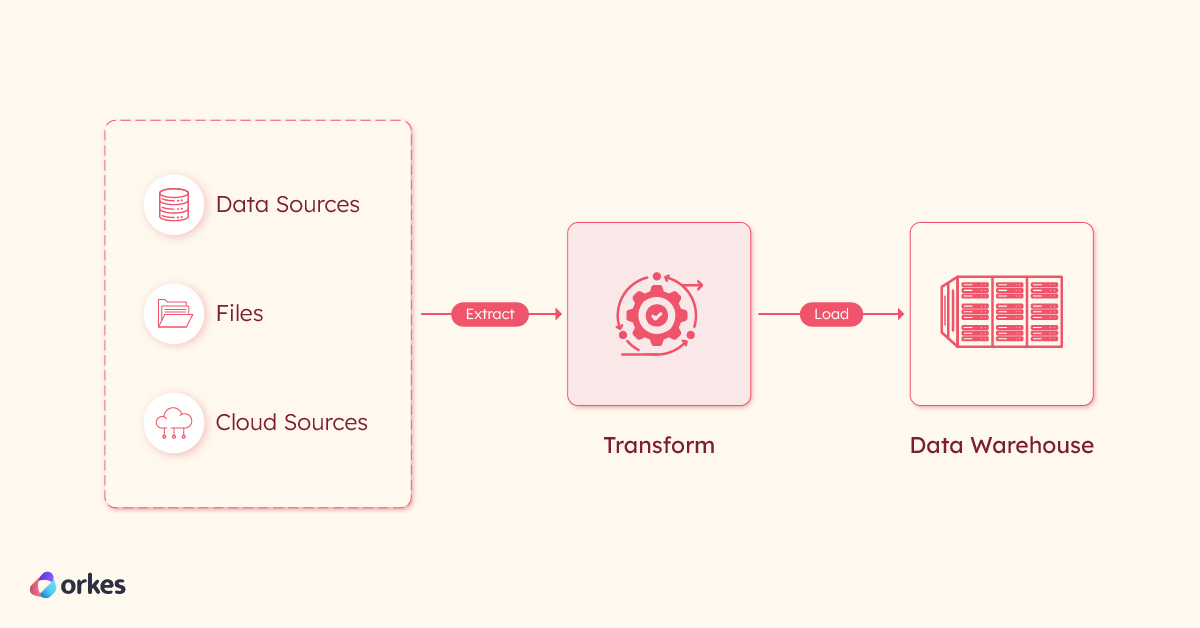
A key challenge here is managing continuous updates in the source data, which can lead to inconsistencies between the source and target systems. These challenges make maintaining data accuracy and timely updates difficult across the entire ETL pipeline.
CDC addresses these challenges by capturing real-time changes in the source database, allowing only the changed data to be replicated in the target system. When combined with an event-driven architecture, CDC enables changes to be propagated as events, which can trigger real-time processing and synchronization in the target system. This reduces latency and ensures the target system remains up-to-date without needing complete data extractions.
CDC has become an essential strategy in event-driven microservices architecture, bridging traditional databases and modern cloud-native systems.
While CDC captures data modifications (such as inserts, updates, and deletes) at the database level, it needs a messaging system to propagate those changes to relevant microservices. The most efficient way to accomplish this is to treat the changes as events within an event-driven architecture and send them asynchronously.
Here’s an overview of the CDC process with an event bus:
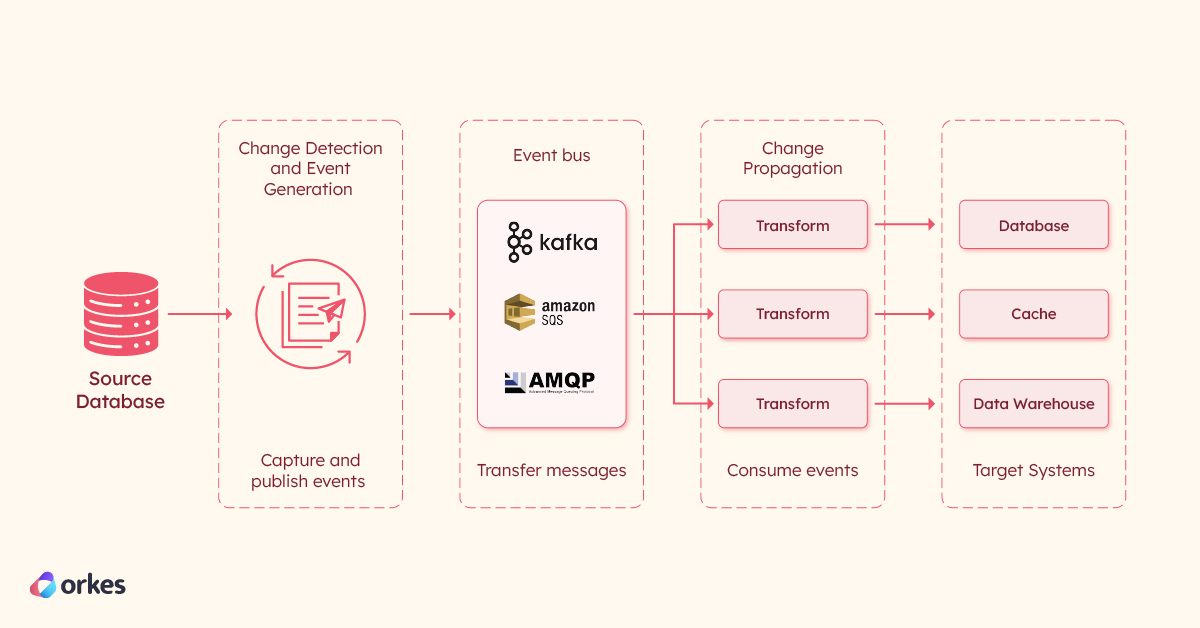
The process can be split into three phases:
Change Detection and Event Generation
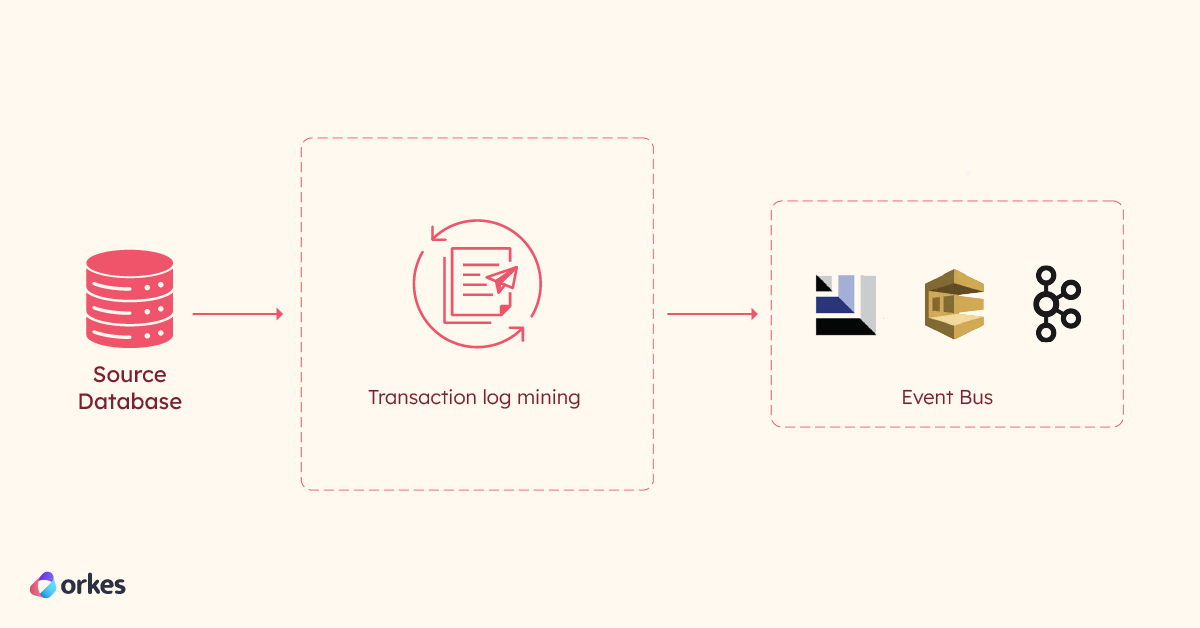
In this phase, a log-mining component monitors the database’s transaction logs for changes whenever a microservice interacts with the database (e.g., creating a new order or updating customer data). Detected changes are formatted as individual events (e.g., "OrderCreated" or "CustomerUpdated"), timestamped, and published to the event bus. Each database operation results in a corresponding change event, ensuring that downstream consumers receive the necessary data updates.
Change Event Ingestion
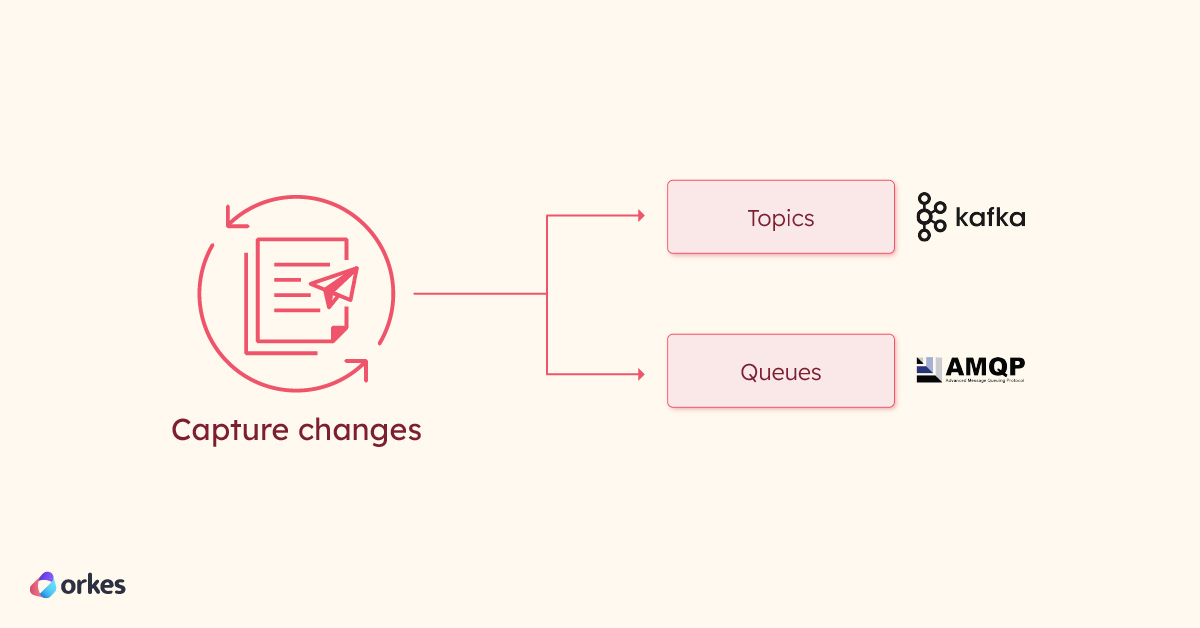
In this phase, the event bus receives and stores the change events. Events are typically organized into topics/queues, each mapped to a unique table in the source database.
Change Event Propagation
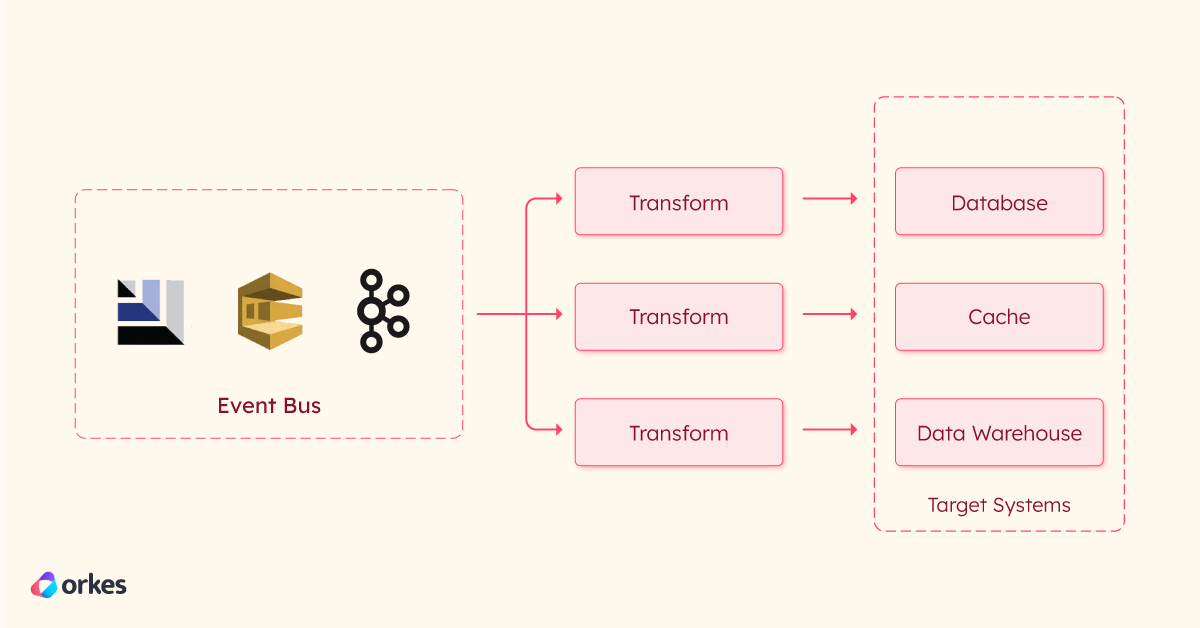
The generated event is published to a messaging platform using a publish/subscribe (pub/sub) model. This allows downstream systems or microservices to subscribe to specific topics based on their needs. This ensures that the events are transmitted to required consumers without tight coupling or direct dependencies.
Let's now look into how to send change data capture streams from Orkes Conductor to external systems.
Orkes Conductor is a powerful tool for developers to build distributed applications or manage orchestration. You can easily stream workflow state changes to external systems with CDC-enabled workflows.
Enabling the workflow status listener in a Conductor workflow allows you to detect and capture workflow state changes in real time. These changes are ingested into the integrated message brokers in Conductor, which propagate them to the configured topics or queues in the eventing systems.
Steps to enable CDC in Conductor workflow:
To test this functionality, you can use Orkes Developer Edition, a free developer sandbox.
The first step is to integrate with the supported eventing systems in Orkes Conductor. Supported integration includes:
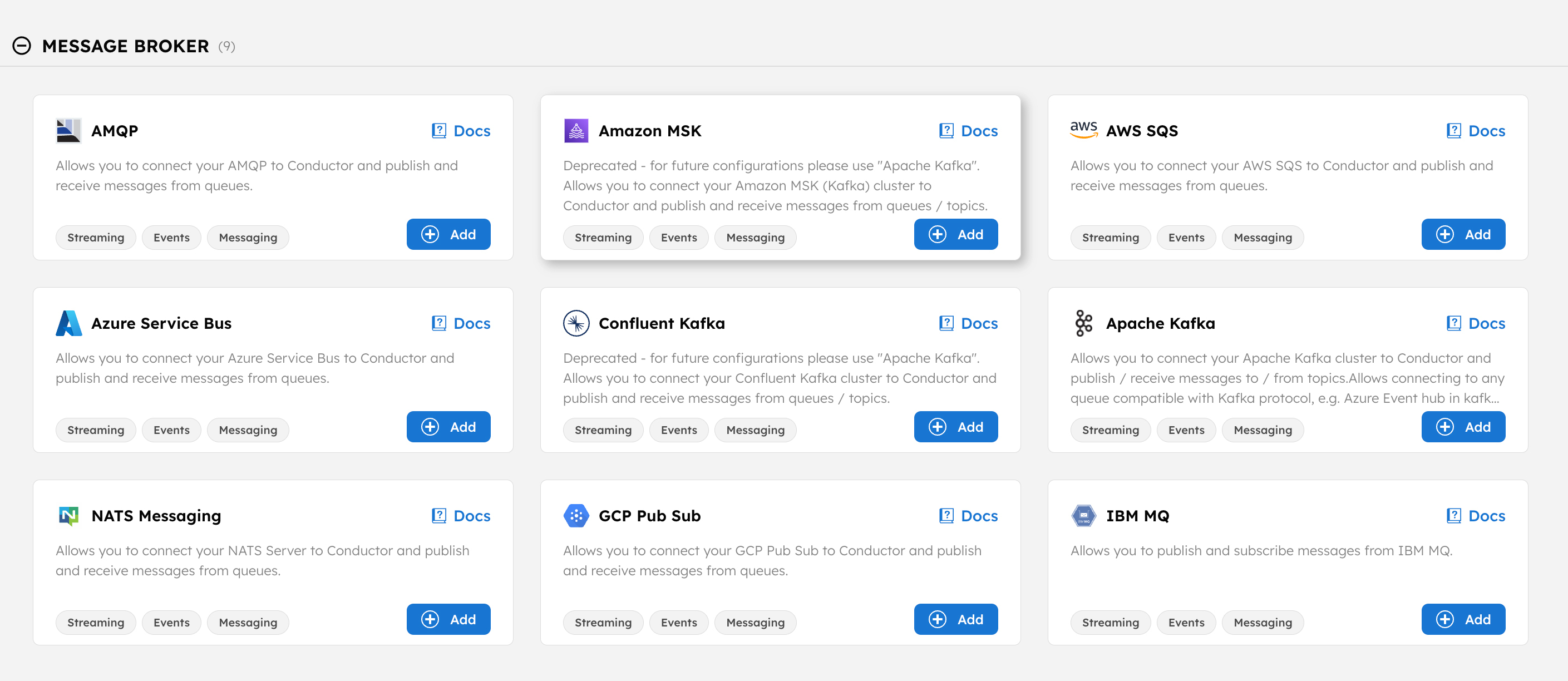
Configuration parameters vary depending on the message broker you’re integrating with. Customize these parameters accordingly, and set up the integration based on the specific message broker you’re using. [Note: You only need to add the integration; no event handler setup is required.]
Once the integration is added, note the sink name, which will be in the format:
Integration Type:Config Name:Queue Name
For example, if using AMQP with a test config called amqp-test and a queue named queue-a, the sink would look like this:
amqp:amqp-test:queue-a
Once the eventing integration is ready, configure your workflow to capture CDC events. Conductor workflows can be created using APIs or from Conductor UI.
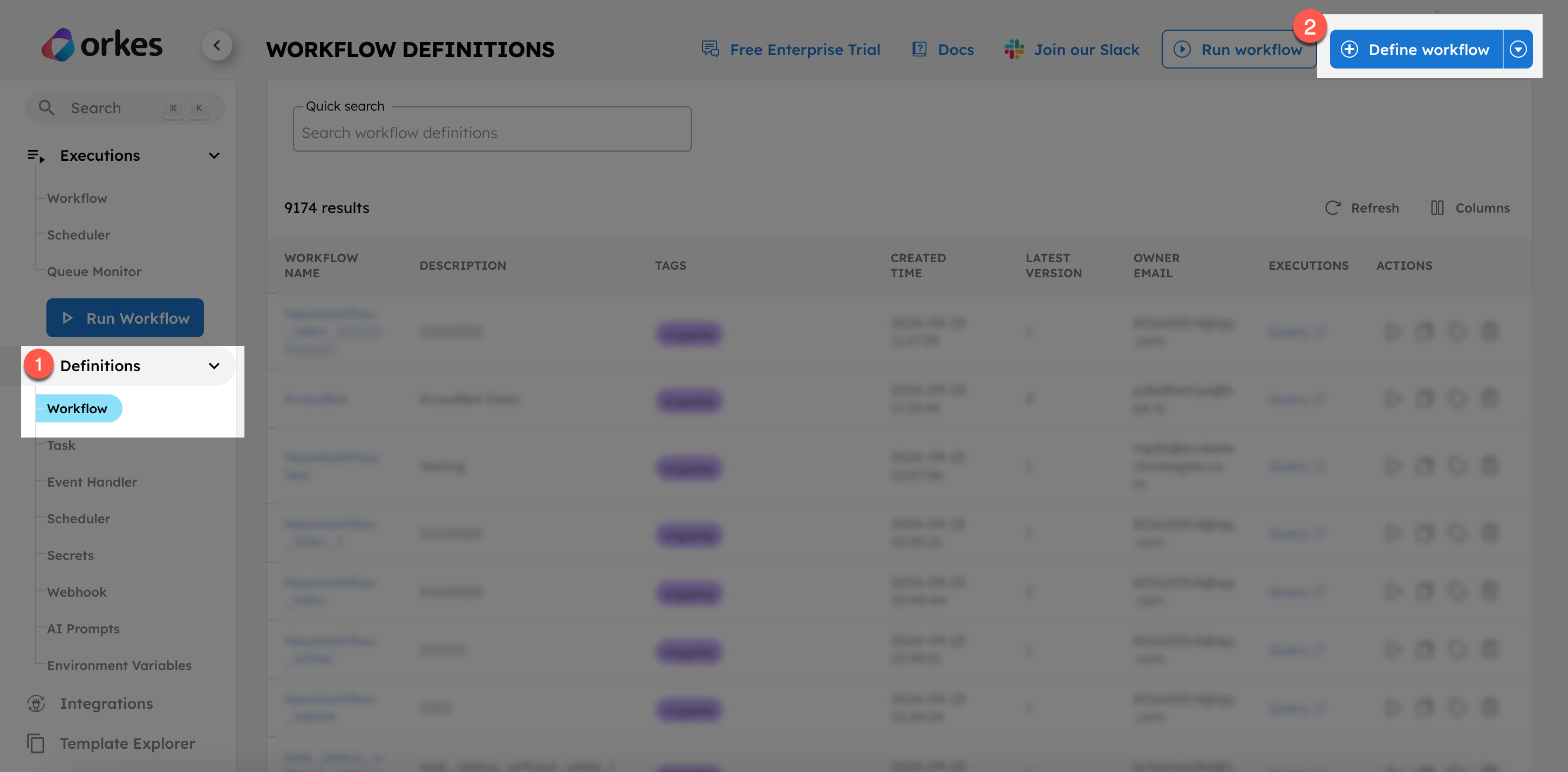
To create workflows using Conductor UI,
In the workflow JSON, set the following fields:
"workflowStatusListenerEnabled": true,
"workflowStatusListenerSink": "amqp:amqp-test:queue-a"
You can also enable it directly in the Conductor UI by switching on the "Workflow Status Listener" in the Workflow tab.
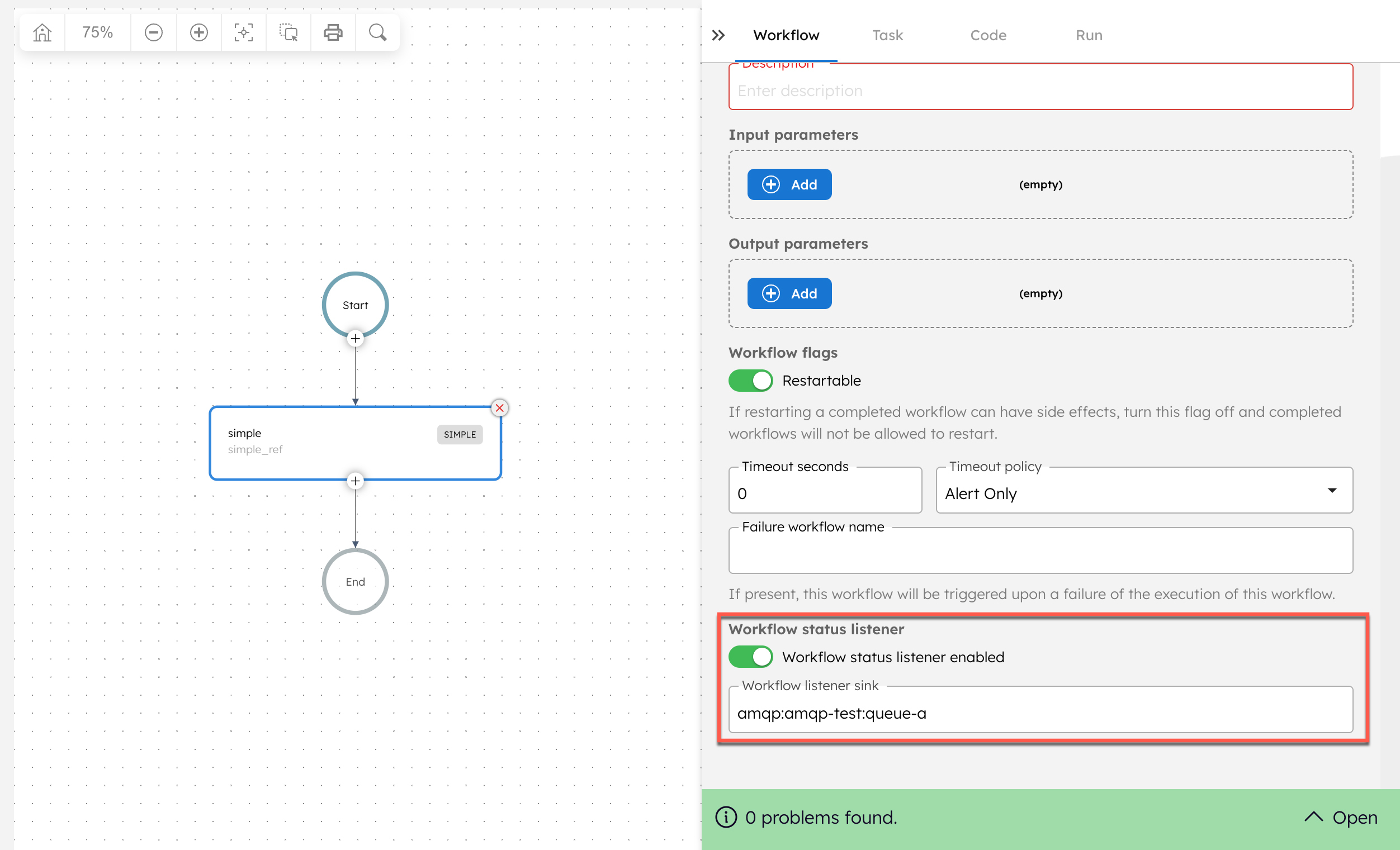
When adding the sink from the UI, the “Workflow listener sink” drop-down field lists only the integrations added to the cluster. The topic or queue name must be added manually. For example, if an AMQP integration is added with the name “amqp-test” the drop-down shows:
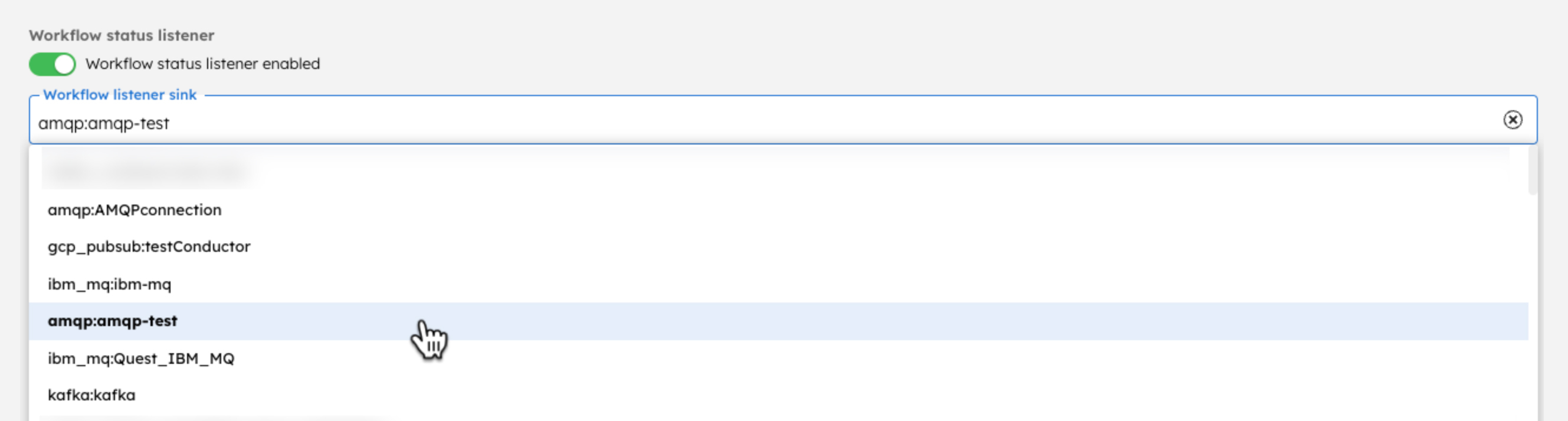
Choose the integration and add the queue name to ensure the workflow listener sink is updated as follows:
"workflowStatusListenerSink":"amqp:amqp-test:add-queue-name-here"
Now, save the workflow definition.
After the CDC settings are configured, you're ready to run the workflow. Workflows can be executed in different ways—using SDKs, APIs, or Conductor UI.
To test it out, you can quickly run it from Conductor UI:
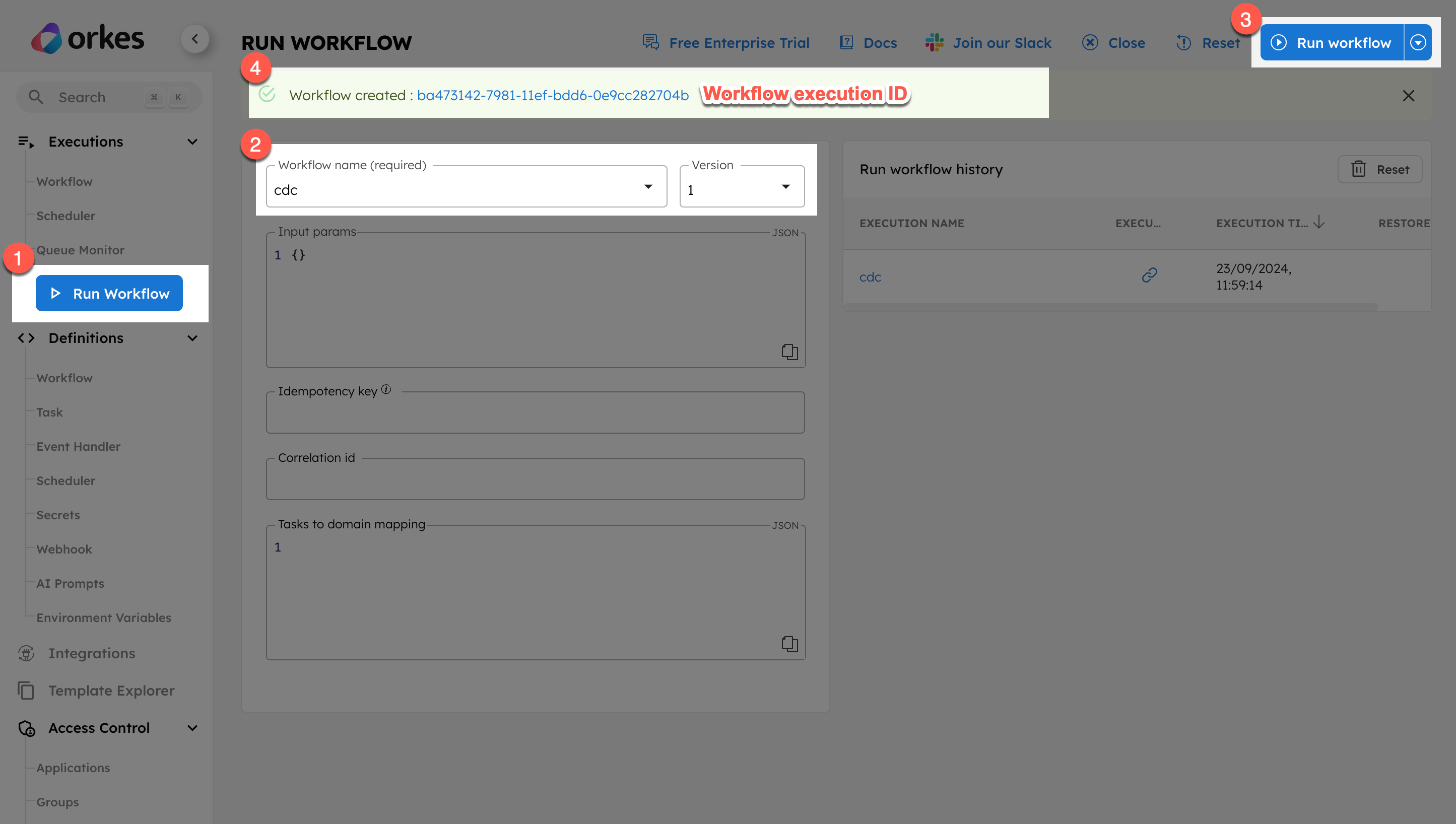
Once the execution begins, the details are captured and sent to the configured eventing system upon any workflow state change. To be more precise, an event is triggered when the workflow state transitions from ‘Running’ to any other state.
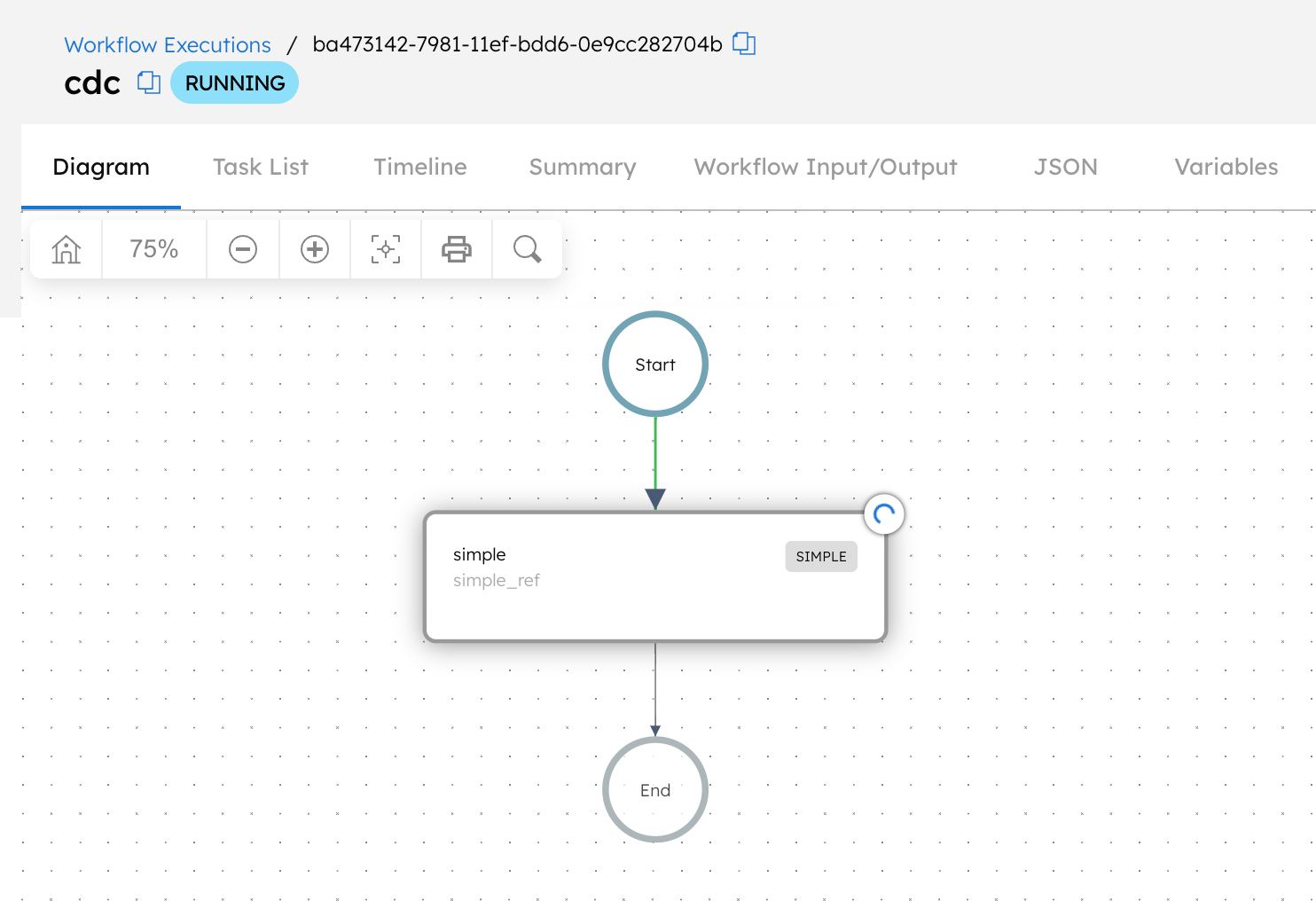
The final step is verifying that the configured eventing system reflects the workflow status changes. The settings for each eventing system vary, so ensure that the message is received under the configured topic or queue.
That's it! You've now enabled CDC in Conductor workflow to stream workflow state changes to external systems.
In conclusion, CDC is crucial for maintaining real-time data consistency across microservices by capturing and propagating changes as events. This ensures that all services are synchronized with up-to-date information, enabling low-latency and reducing the need for batch data transfers. CDC is essential for modern event-driven architectures, providing a foundation for scalable, reliable, and efficient data replication.
Orkes Conductor further aids in optimizing event-driven systems by seamlessly enabling CDC on workflows. By allowing real-time workflow state change detection and event propagation, Conductor ensures smooth orchestration between services. This allows developers to leverage the power of CDC for efficient performance in their microservice-based applications. The enterprise-grade Orkes Conductor offering is available as Orkes Cloud.
–--
Conductor is an enterprise-grade orchestration platform for process automation, API and microservices orchestration, agentic workflows, and more. Check out the full set of features, try it yourself using our Developer Edition sandbox, or get a demo of Orkes Cloud, a fully managed and hosted Conductor service.