I’ll try to keep this as concise as I can, but we’re going to cover two powerful ideas:
- What an AI agent actually is, in simple terms.
- How you can build your own.
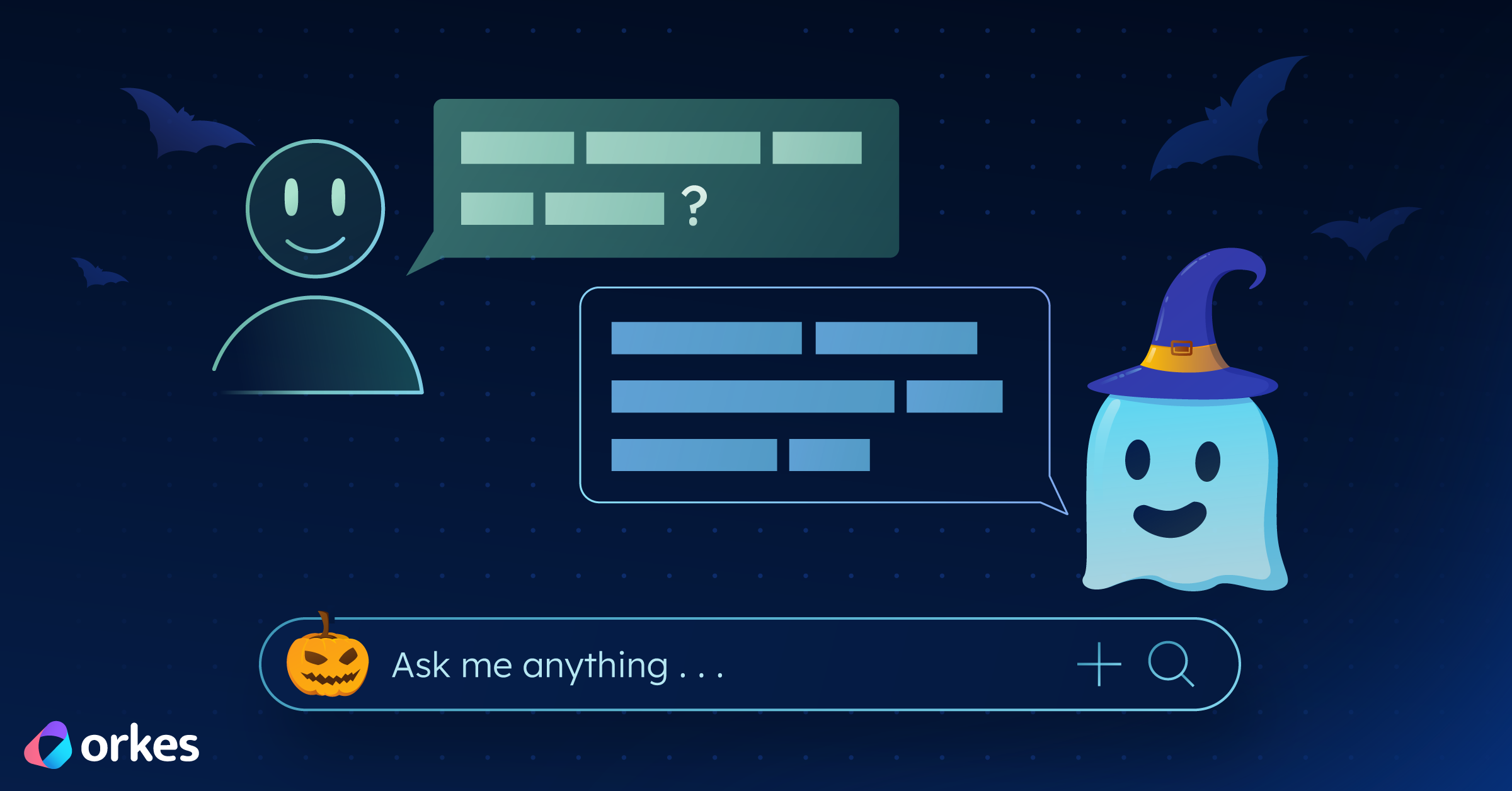
And since it’s Halloween, we’ll make it a spooky one, a ghost chatbot that can use a single tool.
Currently, the most built AI agent demos are chatbots. They are easy to put together, illustrate th concept relatively well, and my personal guess is that most people are familiar with that particular use because of ChatGPT.
If you are reading this after the our agent building webinar, welcome! Hope it was informative.
Ok, so what is an AI agent
There seems to be a lot of discussion online about the exact definition of an AI agent. There are some that I agree with, and there is certain verbiage I don't personally like. You may encounter people describing AI agents as "software entities that can perceive their environment and reason about it". To me these words lead to AI agents feeling more like humans, and therefore unnecessarily more complex, than they are.
I would say Ai agents (as we understand them today) are pieces of software that utilize three core elements: memory, a language model (large or small), and access to tools -- all wrapped in some form of a loop. They have a goal and the user is more hands off than in more traditional non-agentic software programs.
Why should I build an AI agent?
Because it helps you think differently about how software can behave. Traditional programs are more structured. They take an input, run fixed logic, and return an output. Agents, on the other hand, are goal-driven. You tell them what you want, and they figure out how to get there, using looping, reasoning, and sometimes calling external tools to help them out.
So instead of coding every possible rule, you give the agent a general objective and the tools to pursue it. It’s a small but powerful mental shift that makes automation and reasoning tasks much more flexible.
Also, honestly, it’s fun. Especially when your agent is a spooky little ghost.
Plus, building one can help you understand how AI agents work. And everyone should understand how they work, even if they don't like AI or don't want to work on building it.
So how do I go about building an AI agent then?
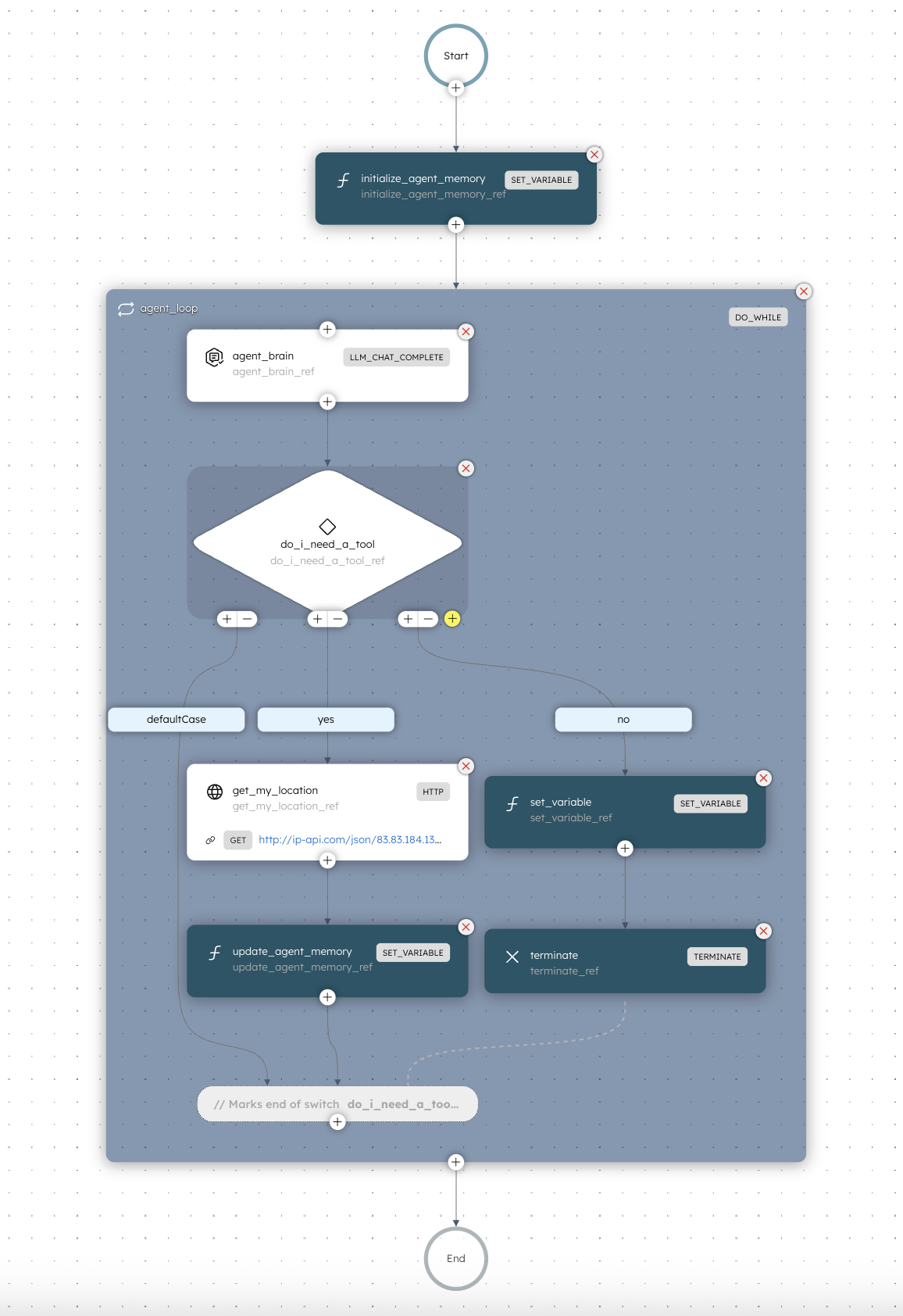
The AI agent in this example is super simple. The point is to show the anatomy of an agent: memory, language model, tools, and loop.
Let’s break down the workflow above.
Step 1: Initialize the Agent’s Memory
Before anything else, the agent needs somewhere to store its short-term memory. So what it last did, what tool it used, and what it found out.
In this example, the memory is handled by the initialize_agent_memory task.
Step 2: Enter the Loop
The real action happens inside the do_while loop.
This is the thinking and acting phase of the agent.
Each iteration goes something like this:
- Think: The
agent_brain uses an LLM (in this case, chatgpt-4o-latest) to decide what to do next based on the question and the memory so far.
- Decide: It outputs JSON indicating whether it knows the answer or if it needs to use a tool.
- Act:
- If it needs a tool, it runs one (here, a simple HTTP call to find your location)
- If not, it ends the loop and gives you the final answer.
This pattern of think, decide, act, remember, and repeat is at the heart of most AI agents at the moment.
How does the agent know it's done?
That’s one of the trickier (and more interesting) parts of agent design.
An agent doesn’t truly “know” it’s done; it makes a decision based on what it currently understands from the loop.
At the end of each iteration, the agent evaluates its own output and context. It asks itself something like: “Do I have enough information to answer the user’s question confidently, or do I need to do more?”
If the language model’s reasoning step determines it has reached a complete or confident answer, it sets a flag (for example, "has_answer": true) in its JSON output.
The workflow then exits the loop and returns the final message. This approach isn’t perfect (sometimes agents stop too early or too late), but it mirrors how we humans solve problems. We stop when things feel complete based on the context we’ve gathered.
That’s why designing a clear loop condition and giving the model good instructions about when to stop is so important.
Step 3: Tools
The tools you give an agent define what it can actually do beyond reasoning with text from the LLM model you plug in.
In this Halloween demo, our ghost only has one tool: it can fetch your location. That might seem small, but it's enough to demonstrate how agents mix reasoning with real-world data.
If you ask something like "Do people in my city celebrate Halloween?", the agent will realize it needs to know where you are before answering. And then call the location tool.
Step 4: Wrap It All Together
Once the loop condition is not longer met (in our case, after three iterations or when an answer is found), the agent ends with a final response. The response is a friendly message from our Halloween Ghost Chat.
Here is what might happen if you run it:
👻 Boo! In Amsterdam, people do celebrate Halloween - mostly with costume parties and pub crawls. Wear something that glows in the dark!
Final Thoughts
This is a tiny agent and intentionally so.
But you can see how the pieces fit together: memory, tools, loop, and reasoning.
From here, you can expand it in any direction:
- Add more tools (weather API, image search, calendar lookups)
- Replace the model with something lightweight or specialized
- Connect the outputs to a UI or chat interface
Once you get the pattern down, you can make agents that fetch data, take actions, or even coordinate with other agents.