AGENTIC ENGINEERING
How to Build a Durable Conductor Workflow using Conductor Skills and Claude Code in Minutes

Maria Shimkovska
Content Engineer
Last updated: April 28, 2026
April 28, 2026
5 min read


Mar 24, 2026
Mar 17, 2026

Jan 19, 2026
Join thousands of developers building the future with Orkes.
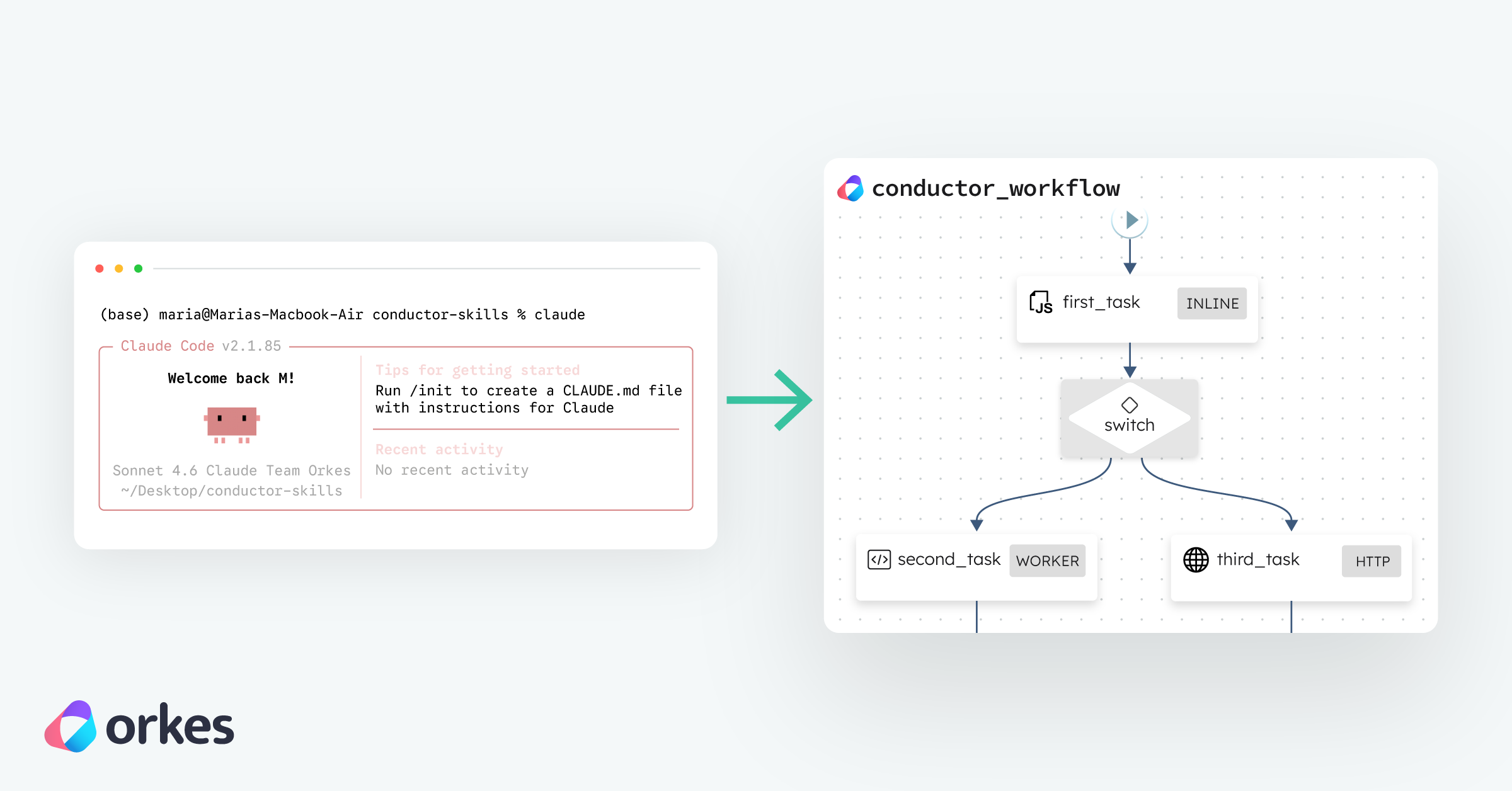
If you're already using Agent Skills with Claude Code, you can now add Conductor Skills to build, deploy, and run entire workflows directly from your Claude terminal.
You can just "chat" with the Claude Code terminal and let it build your workflows directly in your Conductor clusters.
Let me define a couple things first if you're new here, and then we can go ahead with the building:
Conductor is a workflow orchestration engine where you define a workflow as a series of tasks like API calls, custom code, conditionals, parallel branches, and human approvals. From there, Conductor runs them, tracks their state, handles retries, and gives you full visibility into what happened.
Conductor Skills is the plugin that lets Claude Code create and manage these workflows for you so this gives you another way to create workflows. I like using it when I am getting started with workflows the most because it provides me with a really solid start and then I can iterate from there, but it's becoming a very common way I create workflows now. It’s also a very fast way for me to set a workflow up because I can just say what I want rather than go through the same steps.
Conductor comes in two flavors, and you'll see both in this article:
Same engine underneath, so Claude Code and Conductor Skills work identically against either one — just point Claude at a different server URL.
A very quick note on prerequisites for a project like this:
Before you start, you'll need:
-version to check. If you'd rather skip the local install and point Claude Code at the hosted Orkes Developer Edition instead, you don't need Java at all.How to Install Conductor Skills in Claude Code
Open up your Claude Code terminal and type in the following:
/plugin marketplace add conductor-oss/conductor-skills
/plugin install conductor@conductor-skills
To verify you have it, you can type this in your Claude Code session:
/plugin list
If you see conductor in the output, you're good to go. If you don’t see it under the Plugins tab (because there are a lot there by default), you will if you go to the Installed tab.
Claude now knows how to talk to a Conductor server, register your workflows, start them, monitor their status, manage failures, and write workers (your own custom code/services). I also like using Claude Code to build workflows because it just helps with planning and brainstorming too.
Let's start with something simple. A workflow that takes a URL, fetches its contents, and returns them. With Conductor’s built-in HTTP task this is likely going to just be one task. The point here is to see how the pattern works and get a feel for the build-run-iterate cycle of this process and way of building workflows using Claude Code.
First you need a Conductor server running so that Claude Code can connect to it to register the workflows. You have two options (the local one I am showing here, and also the Orkes hosted version which I will show later as well), but let’s start with a local build. In Claude Code, type:
/conductor:conductor
And this will output the following. Mine is already installed so it lets me know:
⏺ The Conductor CLI is already installed (v0.1.3). What would you like to do?

  Common tasks:
  - Start a local server — conductor server start
  - Connect to an existing server — set CONDUCTOR_SERVER_URL
  - Create a workflow — define and register a workflow definition
  - Run a workflow — start an execution and monitor it
  - Manage executions — pause, resume, retry, terminate
  - Write workers — poll and execute SIMPLE tasks

  Do you have an existing Conductor server, or would you like to start a local one?
This is already super helpful because it gives you a guideline of what you can do. From here you can say:
Start a local Conductor server for development
Claude runs conductor server start behind the scenes. Once it's healthy, you'll have:
http://localhost:8080/apihttp://localhost:8080You can open the UI in your browser to see your workflows visually as you build them. Keep the server running and move on. You can also just ask Claude Code to explain what it builds and how the workflow is doing.
So you can just say things like “Is my server up and running? How many workflows do I have in my Conductor server? What are those workflows? Which Conductor cluster is it pointing to?” It'll query the API and answer you.
Now just write something like "build me a workflow that takes a URL, fetches its contents, and returns them" and see it working.
And then you can just check it out by going to localhost:8080 (if you want to see the OSS UI), but you don’t have to. Anything you want to know about the workflow you can also ask Claude. So you can say “is my workflow registered?” or “show me the workflow definition”.
Although it will also give you information once the workflow has been created like so:
⏺ Workflow fetch_url (v2) is registered and working. Here's a summary:

  Workflow: fetch_url
  - Input: { "url": "<your URL>" }
  - Output:
    - statusCode — HTTP response code (e.g. 200)
    - body — response body (parsed JSON or raw text)
    - headers — response headers

  Test run against https://httpbin.org/get: COMPLETED with status 200.

  To run it yourself:
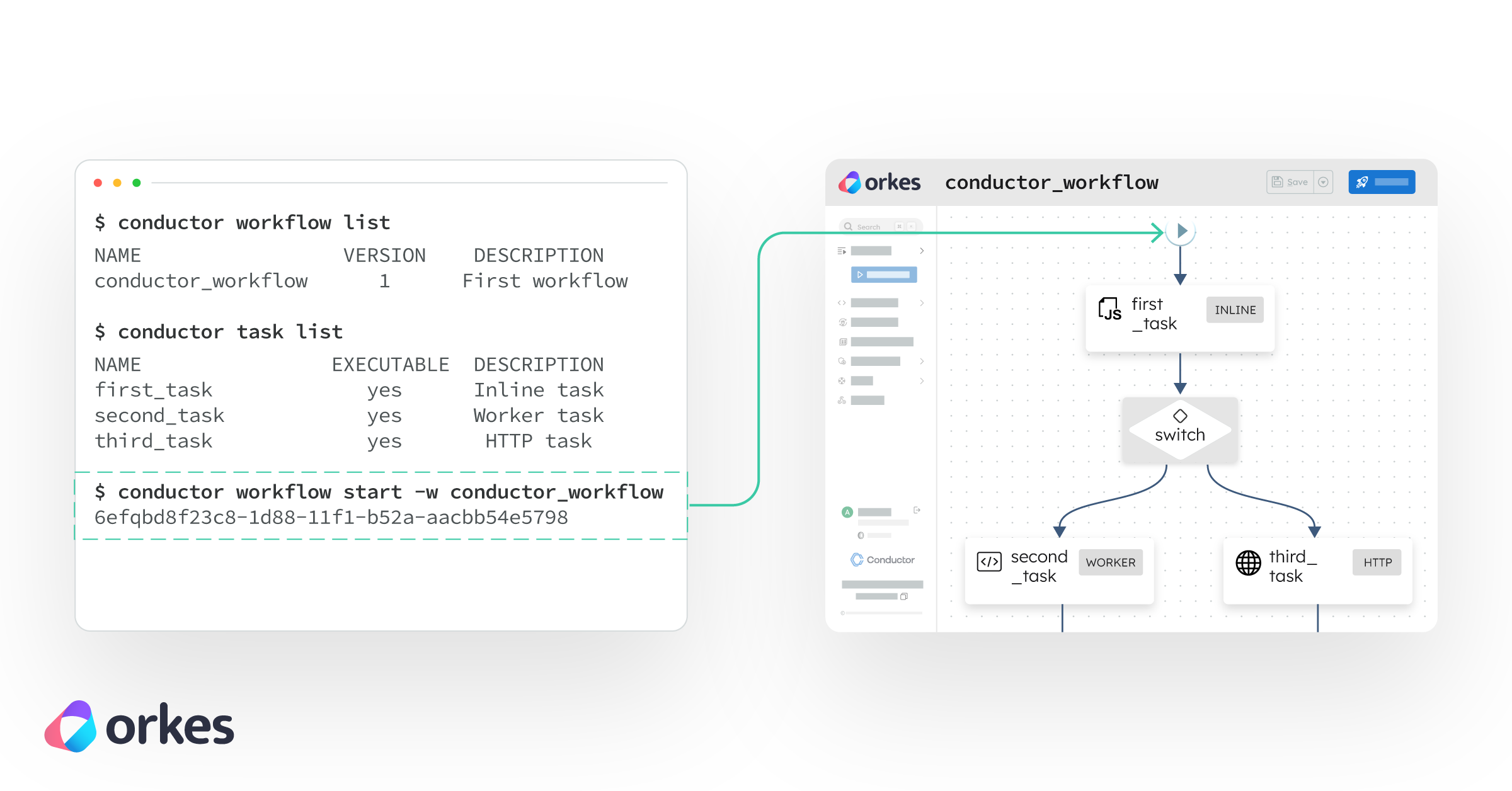
  conductor workflow start -w fetch_url --version 2 -i '{"url": "https://example.com"}'

  Or view it in the UI: http://localhost:8080/workflowDef/fetch_url
You can also connect Claude Code to an Orkes Hosted Cluster instead. For this I like using the Developer Edition.
The Orkes Developer Edition is a free hosted service where you can build workflows and experiment without installing anything locally.
Just tell Claude:
Connect to my Conductor server at https://developer.orkescloud.com/api and create the same workflow there instead
https://developer.orkescloud.com/api is the url for the Developer Edition cluster. You can use that to experiment with workflows in a hosted environment for free.
Claude will ask for your authentication details like your Key ID and Key Secret. You can generate these from the Applications page in your Orkes dashboard. Create an application (or use an existing one), generate a key pair, and paste the values when Claude asks for them.
If you'd rather not type credentials into Claude, set them as environment variables in a separate terminal session first:
export CONDUCTOR_SERVER_URL=https://developer.orkescloud.com/api
export CONDUCTOR_AUTH_KEY=<your_key_id>
export CONDUCTOR_AUTH_SECRET=<your_key_secret>
Once connected, Claude gives you a summary of everything on the cluster.
This works with any Orkes cluster: Developer Edition, your team's staging environment, production, whatever. Just swap the URL and credentials. From here, you can create new workflows, run existing ones, modify specific ones, or explore what's already there.
Let's test with a simple HTML page first. Go ahead and tell Claude Code:
Run the new workflow with https://orkes.io/blog/
https://orkes.io/blog/ is the link to the Orkes Conductor blog page.
From there your Claude Code session might differ from mine depending on what Claude "decides" to do, but it's likely to ask you questions like it did with me.
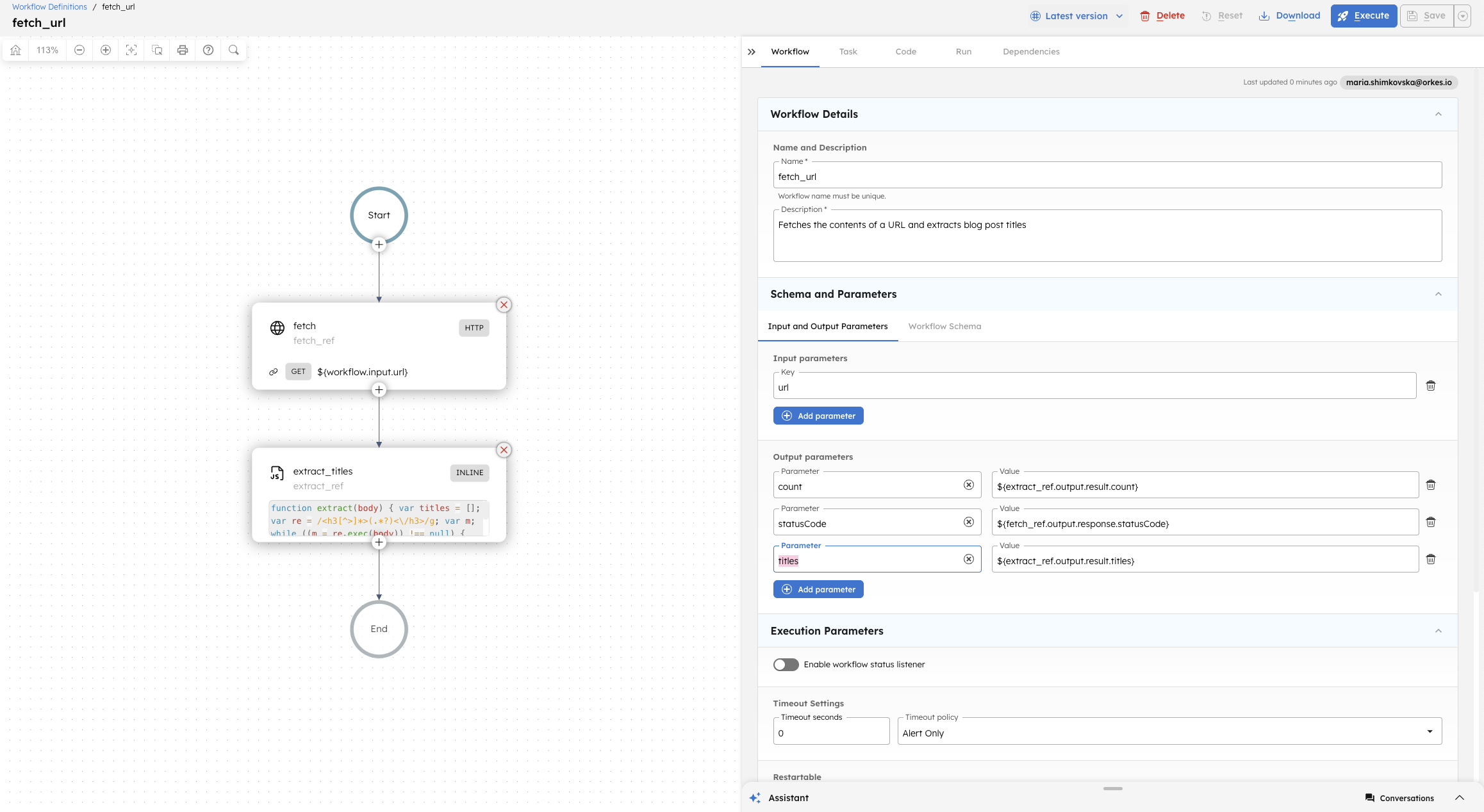
It asked me if I would like to create a new task to grab specific information from the page. I said "Yes, please create a task in the workflow to return all the blog post titles from the url". And then Claude continues from there. If I don’t it will just run the workflow with the one task and return the body of the html page.
At the end of this short session I got a working workflow in my Conductor cluster and then I could just communicate with it through Claude using plain English to describe what I want.
Here is the final small workflow in the Developer Edition of Orkes Conductor.
In another article I am going to use Claude Code to create a Content Refresh workflow from a spec. In this one I wanted to show you how you can use Claude Code to build a simple workflow and have it run, but for anything close to a durable workflow I find that the best thing is to approach it the way you would any software project, starting with a good document outlining requirements.
The fastest way to get a feel for this is to just open Claude Code and ask for something. A few prompts to get you started:
If you want to dig deeper, the Conductor Skills repo on GitHub has the source for the plugin, more examples, and is open to contributions if you build something cool. And if you'd rather skip the local setup, point Claude at the Orkes Developer Edition and start building in a hosted cluster for free.