COMMUNITY
Conductor OSS Updates: Polished Look for Workflow Visualizer and More

Najeeb Thangal
Software Engineer
Last updated: January 16, 2025
January 16, 2025
5 min read


Join thousands of developers building the future with Orkes.
Conductor OSS is the heart of Orkes' mission and identity: to build world-class developer tools for developers by developers. Our journey with Conductor OSS, from its humble roots at Netflix, has been powered by a vibrant community of developers who are redefining application workflow orchestration and driving innovation in real-world applications.
Today, we are thrilled to introduce a revamped workflow visualizer in our latest release, v3.21.11. These changes are powered by the new orkes-workflow-visualizer library, which brings significant improvement to the visual clarity and usability of workflow diagrams. With the latest update, it is now easier for users to navigate, visualize, and monitor their workflows.
The key highlight of this update is the introduction of the orkes-workflow-visualizer package. While the core functionality of Conductor OSS remains the same, the visual representation has been upgraded to address readability and usability issues. Other changes include improvements to task timeouts and subworkflow priority. You can learn more about the changes in the v3.21.11 release notes.
The previous workflow visualizer in Conductor OSS offered only a bare skeleton of the workflow diagram. It could not effectively display nested tasks and iterations, leaving users to interpret complex workflows with minimal visual guidance.
How users see their workflows directly impacts how they understand and use them. The new workflow visualizer is inspired by the polished design of the workflow diagrams in the enterprise Orkes Conductor. This update aims to provide users with a cleaner, more intuitive UI for better readability and navigation.
The following changes apply to both the workflow definition and workflow execution diagrams:
Here is a comparison of the workflow definition diagrams before and after v3.21.11:
a. Previous workflow definition diagram
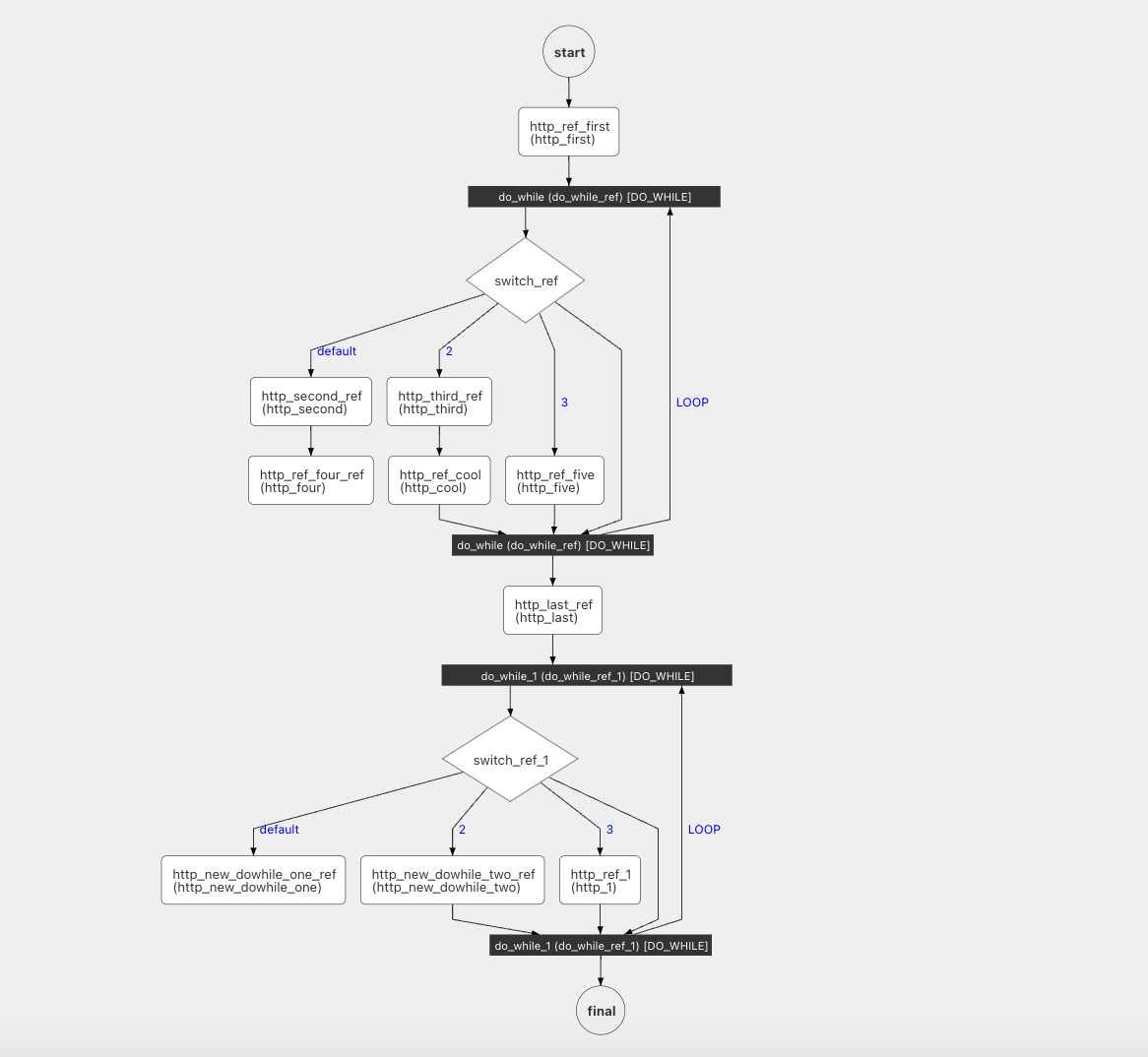
b. New workflow definition diagram
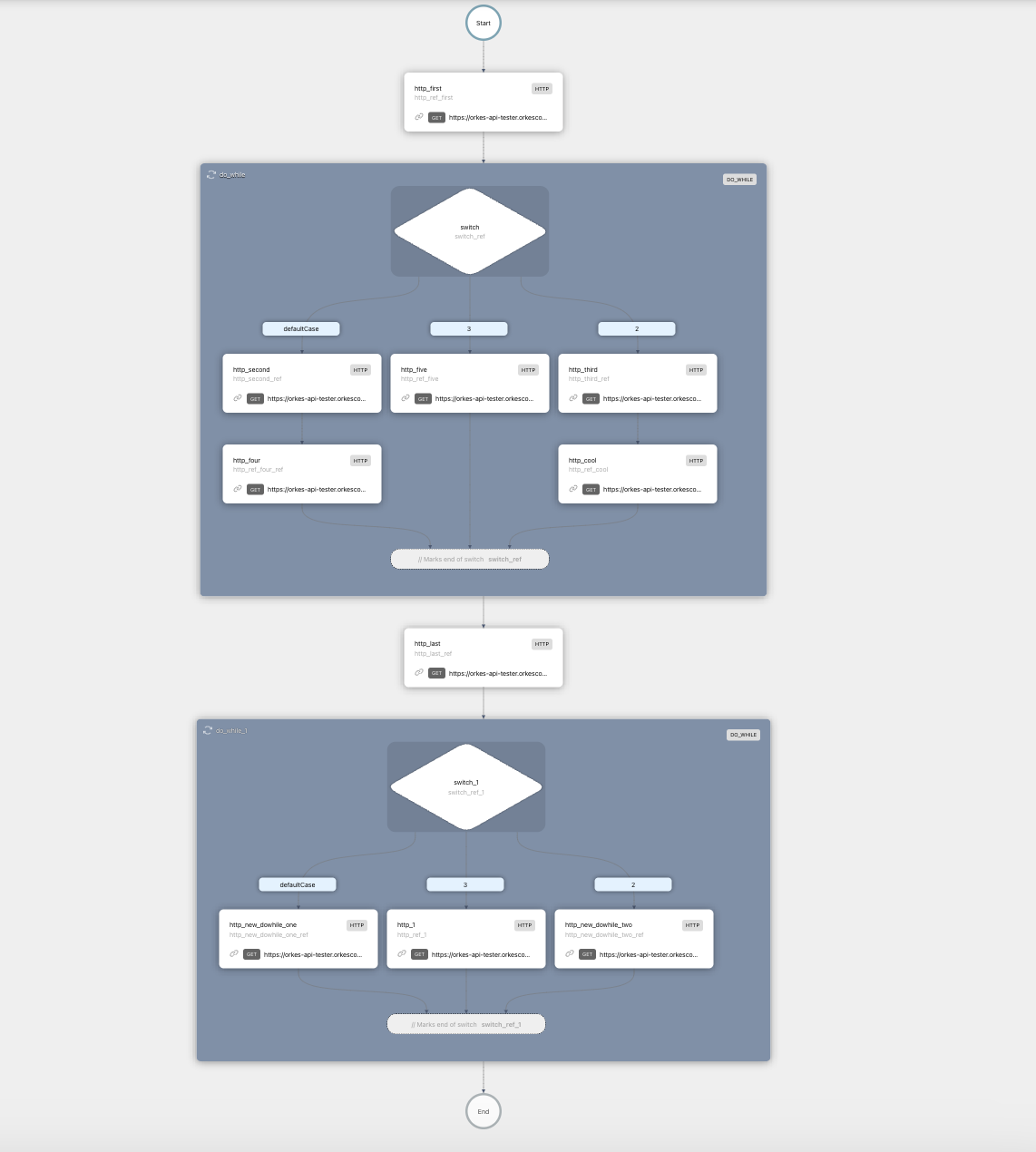
And here is a comparison of the workflow execution diagrams before and after v3.21.11:
c. Previous workflow execution diagram
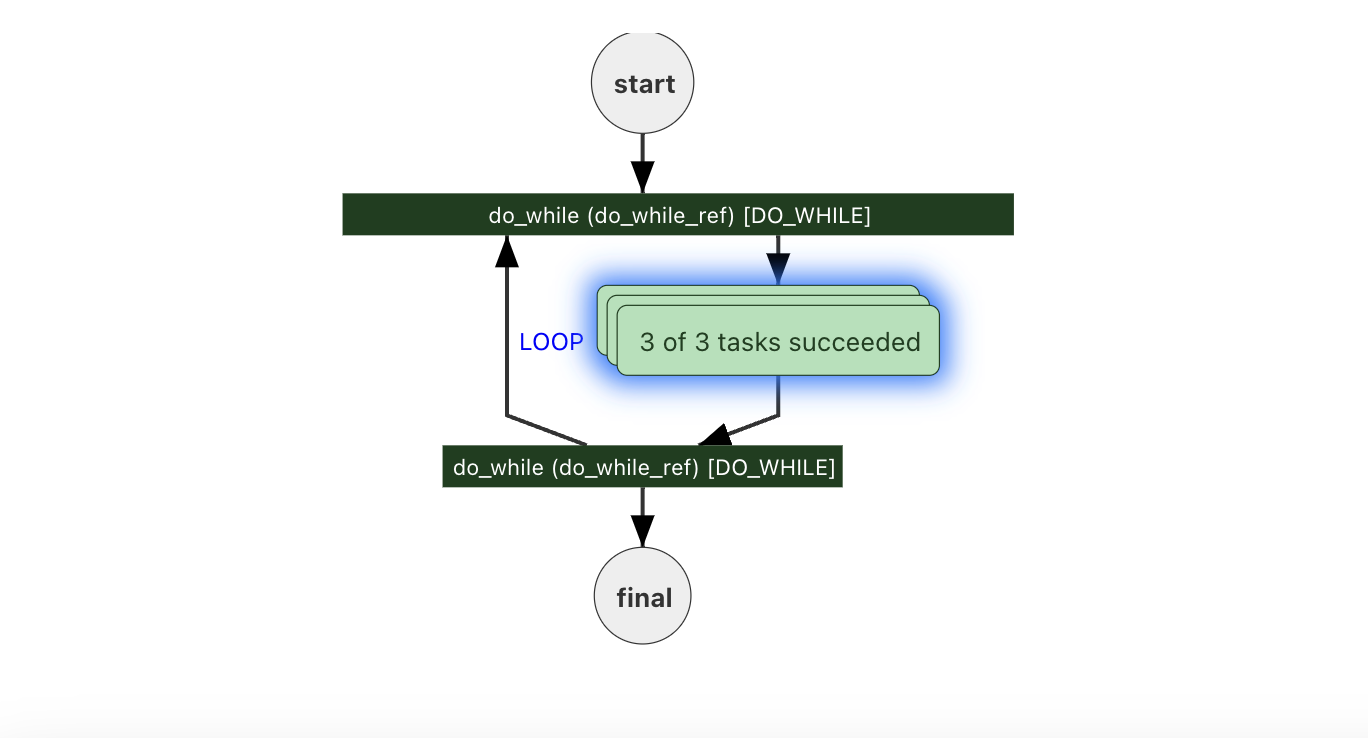
d. New workflow execution diagram
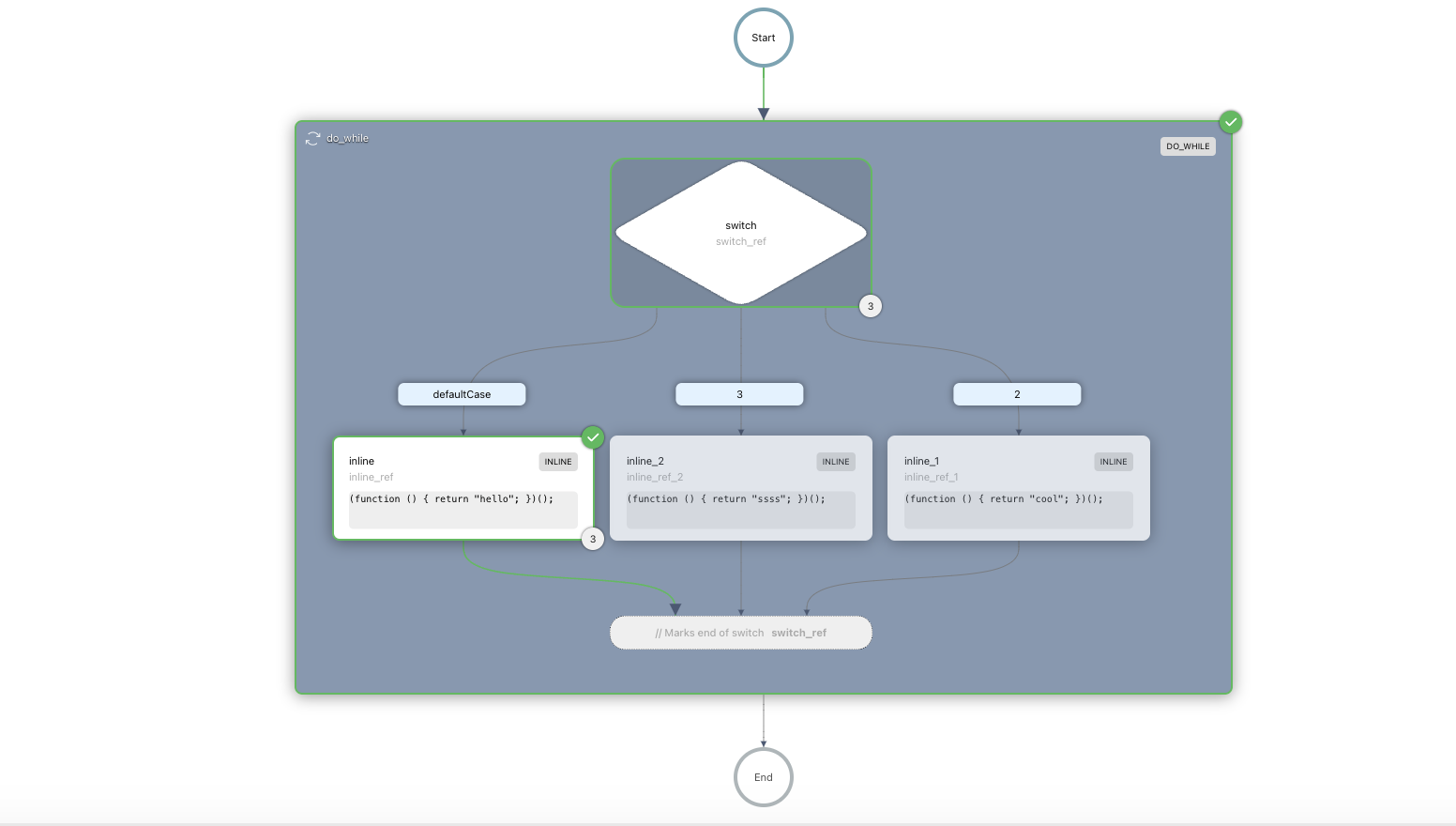
To bring this vision to life, we used Reaflow, a library designed for building node-based diagrams. Reaflow was chosen for the following advantages:
The orkes-workflow-visualizer package was added as a dependency to the Conductor OSS UI, in the package.json:
{  "dependencies": {
  "orkes-workflow-visualizer": "^1.0.1"
}
}
To render both the workflow definition and execution diagrams, the visualizer component was integrated into the React UI:
import React from "react";
import { WorkflowVisualizer } from "orkes-workflow-visualizer";

const WorkflowDefinitionView = ({ workflowDefinition }) => {
return (
  <div style={{ height: "100vh", width: "100%" }}>
    <WorkflowVisualizer
      data={workflowDefinition}
    />
  </div>
);
};

export default WorkflowDefinitionView;
For the execution diagrams in particular, the data prop contains real-time information about workflow state and task progress:
const WorkflowExecutionView = ({ workflowExecution }) => {
return (
  <WorkflowVisualizer
    executionMode={true}
    data={workflowExecution}
  />
);
};Here’s how you can get started with the new Conductor OSS workflow visualizer:
git clone https://github.com/conductor-oss/conductor.git
cd conductordocker compose -f docker/docker-compose.yaml upIf you're already using Conductor and want to upgrade to the latest version:
git pull origin maindocker compose -f docker/docker-compose.yaml builddocker compose -f docker/docker-compose.yaml upThe updated workflow visualizer represents a major step forward for Conductor OSS, addressing key user needs around visual clarity and usability. Whether you’re tracking simple workflow executions or making changes to complex workflows with nested tasks, the new visualizer makes the experience more intuitive and enjoyable.
We’re so excited for you to try the new orkes-workflow-visualizer package. Head over to the Conductor OSS repo now to explore the updated workflow visualizer.
As always, we’d love to hear your feedback—connect with us on Slack or our Community site, or contribute to the Conductor OSS repo. This community is what makes Conductor such a powerful workflow orchestration platform, and we are committed to collaboration, transparency, and building tools that solve real challenges that developers face.

![AI Orchestration Meetup [April 2024] - Recap](/images/blogs/ai-orchestration-meetup.jpg)