- AGENTIC
- ENGINEERING
How to Build Your Own AI Chatbot with Orkes Conductor
 Maria Shimkovska Content Engineer
A single LLM call can’t hold a conversation: it answers once and stops. Conductor has the pieces to make it pause and wait for a reply instead. Here’s how those pieces fit together.
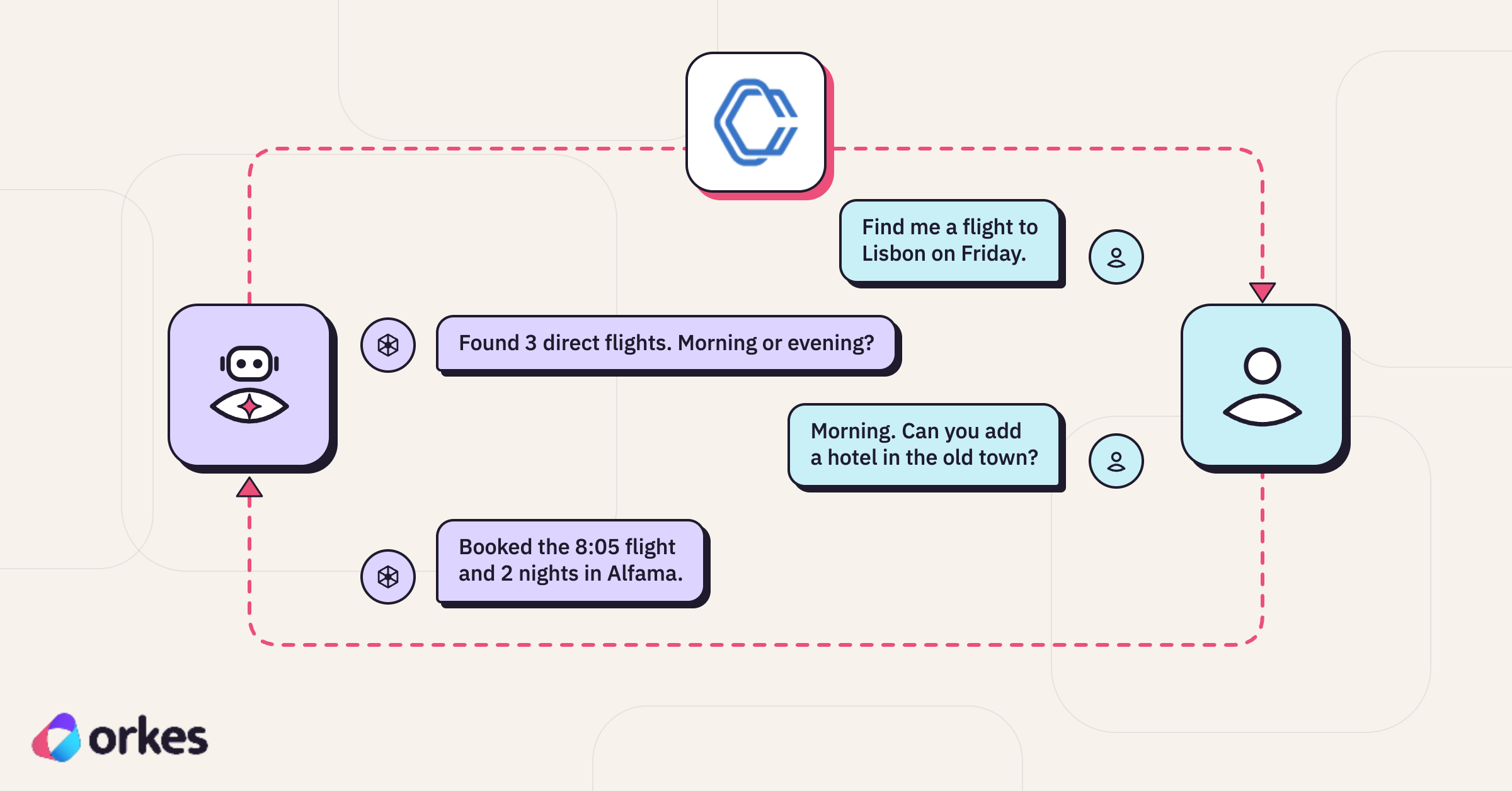
Conductor already has the pieces for a turn-based chat: agents that call a model, HUMAN tasks that pause a workflow until a person answers, and executions that wait for as long as that takes. I’ll go over how Conductor’s parts make up a chatbot, from the agent’s first message to the last, and then where you can go to sign up and start building one yourself.
Why turn-based agents
Chatbots are everywhere now: support widgets, onboarding flows, internal tools, order status, scheduling. Almost every business runs some version of one somewhere in its product or its ops, so knowing how to build your own, instead of dropping in a generic third-party widget, is worth it. You control exactly how it behaves, what it’s allowed to do, and where the conversation actually lives.
(I’ll probably call these conversational agents once or twice further down, old habit, but that’s all a chatbot is.) And honestly, I’ve hit enough bad ones as a user, the kind that forget what you just told them or loop you through “I’m sorry, I didn’t understand that” three times in a row, that I’m fairly convinced most of them could be a lot better. That’s part of why I wanted to write a short introduction to how Orkes Conductor can be used to build one.
A chatbot earns its keep whenever one question and one answer isn’t enough, when getting to a good outcome takes a few back-and-forths: narrowing down what a customer needs, filling out a form one field at a time, running a quiz, practicing for an interview. A single LLM call can’t do that: it has no way to pause mid-answer and wait for what the person says next.
Where to run it
Everything here runs against Orkes Conductor’s Developer Edition, a free hosted Conductor server anyone can sign up for. There’s no infrastructure to install or manage: you create an account, generate an access key under Access Control > Applications, and you have a real Conductor server to deploy agents on. You’ll also need an LLM provider configured in the server’s LLM integration, with the model you plan to use enabled.
Unlike a lot of workflow tutorials, there’s no worker process to run here either. A worker is normally your own code, running on your own machines (and we’re not stopping there, soon we’ll host your workers for you too, so there’s even less for you to stand up yourself ;)), that runs as a single step inside a workflow, polling Conductor for tasks it knows how to do. This chatbot doesn’t need one: every step, the model call and the pause for a reply, is handled by Conductor itself, so the whole conversation lives inside Conductor.
How Conductor runs an agent
To create an agent in Conductor, you give it a name, a model, and instructions describing its job. Conductor compiles that definition into a workflow the first time you deploy it: a workflow that calls the model and runs whatever tools the model asks for. Every new conversation after that starts from the same compiled definition, until you redeploy it.
On its own, an agent like that answers once and finishes, the same as any other call to an LLM. A conversation needs one more piece.
The HUMAN task
That piece is a HUMAN task: it pauses the workflow and does nothing until a person answers the question it was given. There’s no process running in the background for it, it just sits there, paused, until someone replies.
Put a model and a HUMAN task together and you get a chatbot. The model decides what to say, and the HUMAN task lets it stop and wait for an answer instead of running straight through.
Making an agent conversational
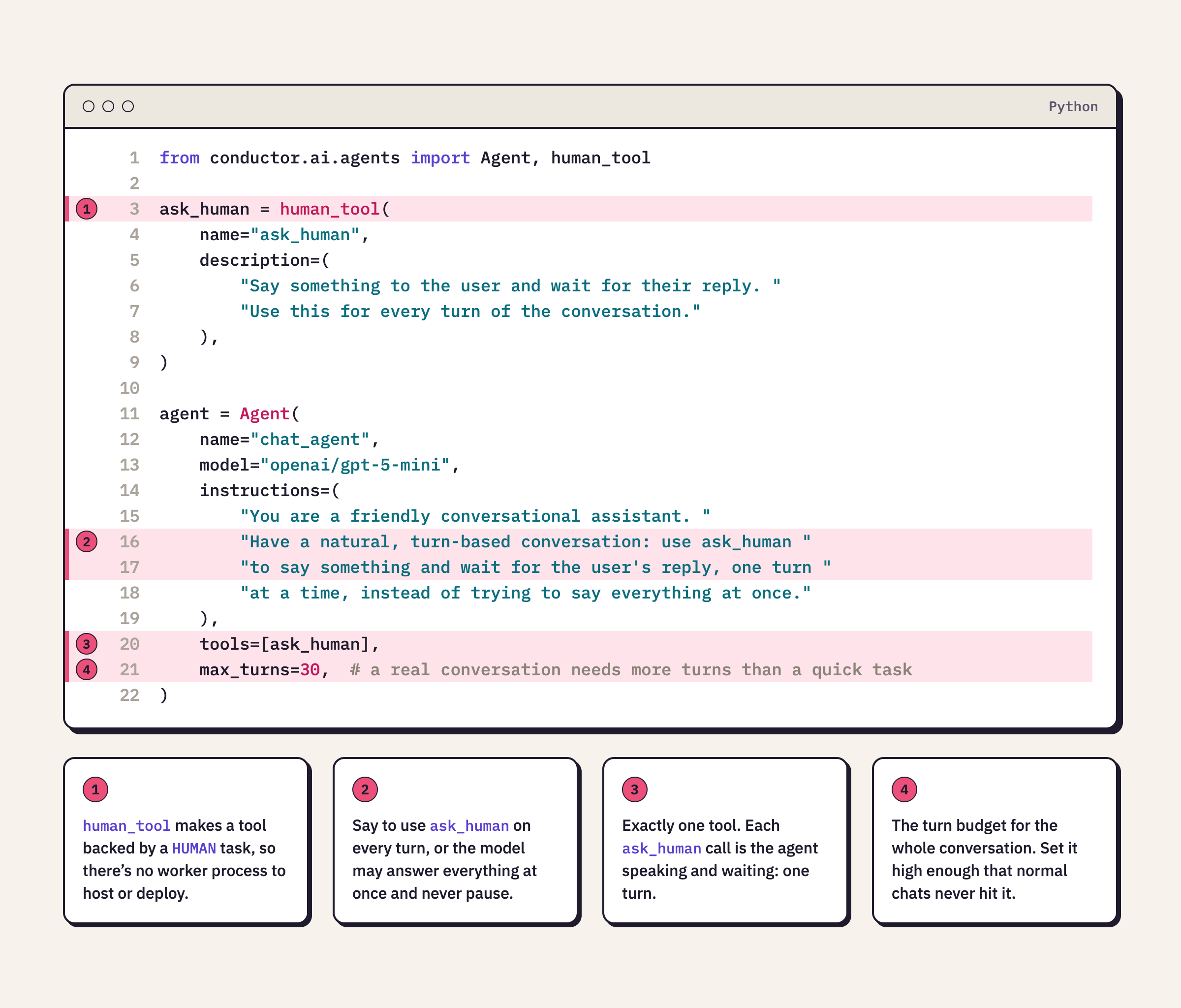
In the agent SDK, human_tool creates a tool backed by a HUMAN task. Give the agent exactly one such tool, ask_human. Whenever the agent wants to say something and wait for a reply, it calls ask_human, and the execution pauses, its status reporting is_waiting as true, until a person answers. Each pause, followed by that answer, is one turn.
Two details make this reliable. First, since ask_human is backed by a HUMAN task, it needs no worker process of its own; there’s nothing extra to host or deploy. Second, the agent’s instructions have to say to use ask_human on every turn. Without that, a model will sometimes try to answer the whole conversation in one go and never pause for a reply.
Driving the conversation
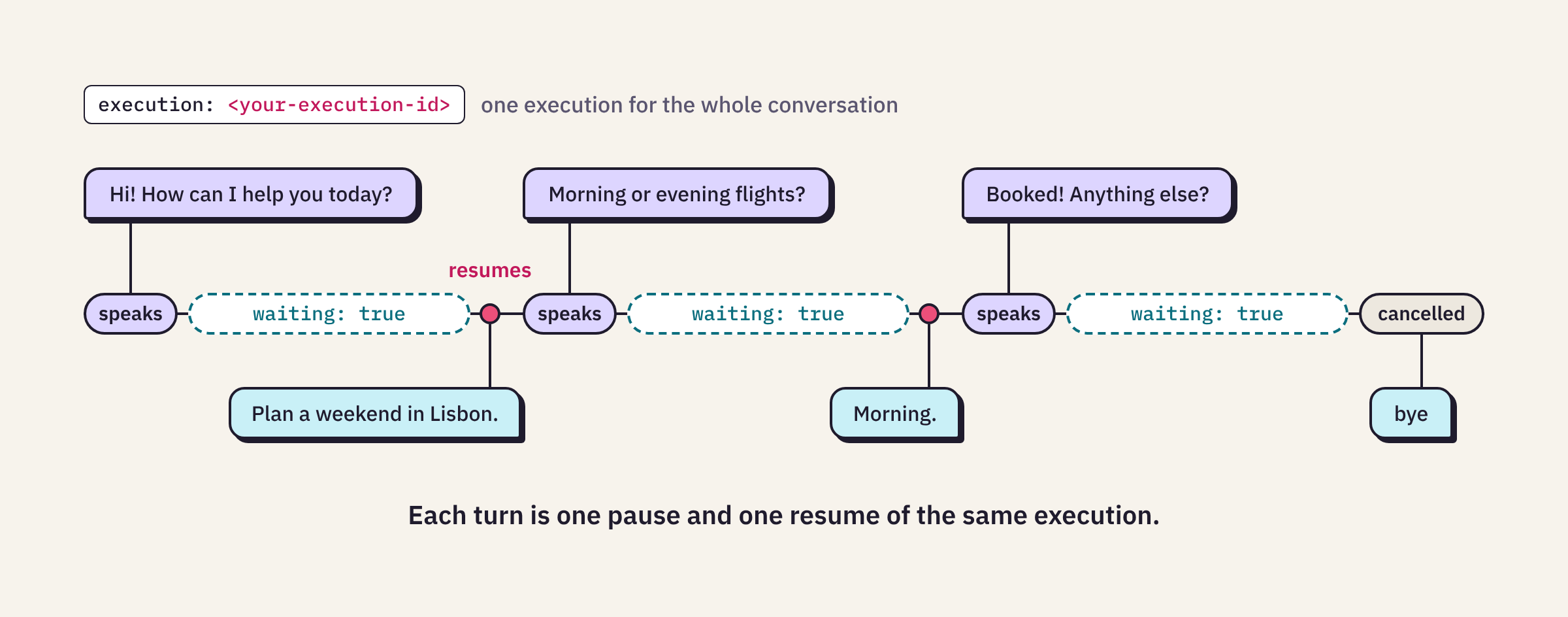
Something has to drive the conversation from outside the execution. A chat client polls the execution until the agent pauses, shows you the agent’s message, reads your reply, and sends it back so the same execution picks up again.
Each turn is one pause and one resume of the same execution.
The execution doesn’t end between messages. It waits on the HUMAN task until your reply completes it, so the whole conversation lives inside one durable execution.
Starting a conversation
Deploying registers the agent as a workflow on your Conductor server. Because ask_human doesn’t need a worker, there’s no separate worker command to run alongside it.
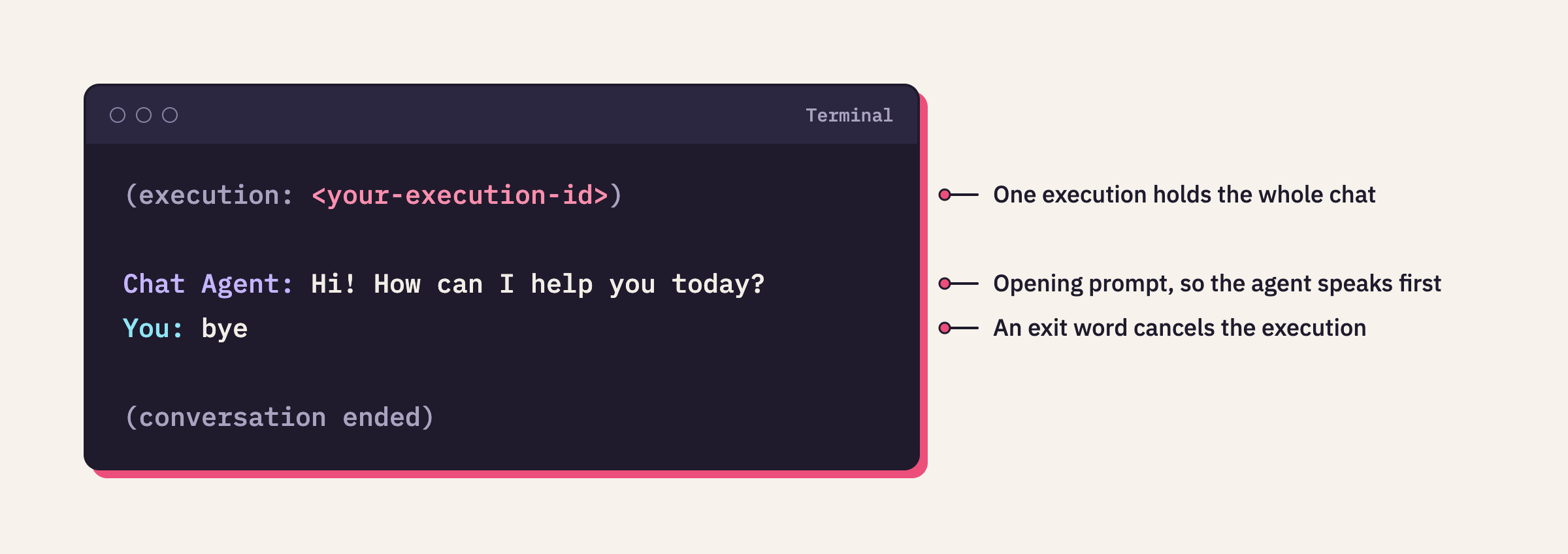
Starting a conversation creates a new execution with an opening prompt, such as “The user has just opened the chat. Greet them and ask how you can help.” That’s why the agent always speaks first:
How a conversation ends
To see how a conversation can end, it helps to know what Conductor builds. When it compiles your agent, it turns it into a loop called DO_WHILE. Each pass through that loop calls the model once; if the model’s response includes a tool call, like ask_human, Conductor runs it and loops again. That gives a conversation three ways to end.
The person leaves. The chat client watches for exit words. In the session above, typing exit, quit, or bye, or pressing Ctrl+C, cancels the execution. That exit has to be deliberate: an agent told to call ask_human every turn never decides to stop on its own.
The agent says goodbye. The loop only continues while the model’s response includes a tool call. A plain-text reply with no tool call ends the execution right there. If you want the agent to say its own goodbye and stop, write its instructions to allow a final reply with no tool call, or make it explicit with a termination condition like TextMentionTermination("goodbye"), which ends the loop the moment the model’s own reply contains that word.
The turn budget runs out. Each ask_human call counts as one pass through the loop, and max_turns caps how many passes are allowed, so it’s really the turn budget for the whole conversation. Hitting that limit doesn’t fail the execution. The loop just stops, and the workflow completes with whatever the last turn produced, usually nothing, since that turn was mid-tool-call rather than a real reply. Pick a max_turns generous enough that normal use won’t hit it.
The pause is the turn
Every turn follows the same cycle: the agent speaks, the execution pauses on a HUMAN task, a person answers, and the same execution resumes. Everything else, like what the agent says and when it should stop, is up to you.
Here’s how you can build an AI chatbot with Developer Edition right now
It’s free to sign up for Orkes Conductor’s Developer Edition, and free to build, run, and maintain what you build on it, it’s our platform built for developers. From there:
- Generate an access key under Access Control > Applications.
- Configure an LLM provider in the server’s LLM integration, and enable the model you want to use.
- Define an agent with a single
ask_humantool, like the one above. - Deploy it, and start a conversation.
That’s the whole chatbot, no worker to run, no server to host. Everything past that, what it should talk about, what else it can do, when it should stop, is instructions and tools you add from here.

Orkes Conductor Developer Edition
Your first agentic workflow is 5 minutes away. Everything you need is already there.