Orkes logo image
Product
Platform
Orkes Platform thumbnail
Orkes Platform
Orkes Agentic Workflows
Orkes Conductor Vs Conductor OSS thumbnail
Orkes vs. Conductor OSS
Orkes Cloud
How Orkes Powers Boat Thumbnail
How Orkes Powers BOAT
Try enterprise Orkes Cloud for free
Enjoy a free 14-day trial with all enterprise features
Start for free
Capabilities
Microservices Workflow Orchestration icon
Microservices Workflow Orchestration
Enable faster development cycles, easier maintenance, and improved user experiences.
Realtime API Orchestration icon
Realtime API Orchestration
Enable faster development cycles, easier maintenance, and improved user experiences.
Event Driven Architecture icon
Event Driven Architecture
Create durable workflows that promote modularity, flexibility, and responsiveness.
Human Workflow Orchestration icon
Human Workflow Orchestration
Seamlessly insert humans in the loop of complex workflows.
Process orchestration icon
Process Orchestration
Visualize end-to-end business processes, connect people, processes and systems, and monitor performance to resolve issues in real-time
Use Cases
By Industry
Financial Services icon
Financial Services
Secure and comprehensive workflow orchestration for financial services
Media and Entertainment icon
Media and Entertainment
Enterprise grade workflow orchestration for your media pipelines
Telecommunications icon
Telecommunications
Future proof your workflow management with workflow orchestration
Healthcare icon
Healthcare
Revolutionize and expedite patient care with workflow orchestration for healthcare
Shipping and logistics icon
Shipping and Logistics
Reinforce your inventory management with durable execution and long running workflows
Software icon
Software
Lorem ipsum dolor sit amet, consectetur adipiscing elit. Aenean leo mauris, laoreet interdum sodales a, mollis nec enim.
Docs
Developers
Learn
Blog
Explore our blog for insights into the latest trends in workflow orchestration, real-world use cases, and updates on how our solutions are transforming industries.
Read blogs
Check out our latest blog:
Conductor CLI Guide: Register, Run, Retry, and Recover Durable Workflows Without Leaving Your Terminal 💻
Customers
Discover how leading companies are using Orkes to accelerate development, streamline operations, and achieve remarkable results.
Read case studies
Our latest case study:
Twilio Case Study Thumbnail
Orkes Academy New!
Master workflow orchestration with hands-on labs, structured learning paths, and certification. Build production-ready workflows from fundamentals to Agentic AI.
Explore courses
Featured course:
Orkes Academy Thumbnail
Events icon
Events
Videos icons
Videos
In the news icon
In the News
Whitepapers icon
Whitepapers
About us icon
About Us
Pricing
Get a demo
Signup
Slack FaviconDiscourse Logo icon
Get a demo
Signup
Slack FaviconDiscourse Logo icon
Orkes logo image

Company

Platform
Careers
HIRING!
Partners
About Us
Legal Hub
Security

Product

Cloud
Platform
Support

Community

Docs
Blogs
Events

Use Cases

Microservices Workflow Orchestration
Realtime API Orchestration
Event Driven Architecture
Agentic Workflows
Human Workflow Orchestration
Process Orchestration

Compare

Orkes vs Camunda
Orkes vs BPMN
Orkes vs LangChain
Orkes vs Temporal
Twitter or X Socials linkLinkedIn Socials linkYouTube Socials linkSlack Socials linkGithub Socials linkFacebook iconInstagram iconTik Tok icon
© 2026 Orkes. All Rights Reserved.
Back to Blogs

Table of Contents

Share on:Share on LinkedInShare on FacebookShare on Twitter
Worker Code Illustration

Get Started for Free with Dev Edition

Signup
Back to Blogs
PRODUCT ENGINEERING

Connect Supabase and Orkes Conductor in a Couple of Minutes | No Code Needed

Maria Shimkovska
Maria Shimkovska
Content Engineer
Last updated: November 5, 2025
November 5, 2025
4 min read

Related Blogs

How to Connect Supabase to Orkes Conductor | Build the Integration Yourself

Nov 6, 2025

How to Connect Supabase to Orkes Conductor | Build the Integration Yourself

Discover how easy it is to build your own personalized AI agent! This hands-on guide walks you through the basics; then shows you how to create a fun, tool-using ghost chatbot to make it your own.

Oct 31, 2025

Discover how easy it is to build your own personalized AI agent! This hands-on guide walks you through the basics; then shows you how to create a fun, tool-using ghost chatbot to make it your own.

RBAC: Protect Your Workflows from Unauthorized Access and Terrors

Oct 7, 2025

RBAC: Protect Your Workflows from Unauthorized Access and Terrors

Ready to Build Something Amazing?

Join thousands of developers building the future with Orkes.

Start for free

Learn how to automate Supabase workflows using Orkes Conductor. This ready-to-run template connects your database and runs automations in just two tasks.

TL;DR
  • Supabase = structured, secure, real-time data.
  • Orkes Conductor = automation, orchestration, and intelligence.
  • This template = the missing link that gets you from data stored to data in motion, in just 2 tasks.

Cover illustration showing the connection between Orkes Conductor and Supabase.

Build Faster with Supabase and Orkes Conductor

You’ve got an idea; a quick dashboard, a data experiment, or a new app.

You start with Supabase because it's fast, secure, and developer-friendly. And in minutes your database is live and your data is ready to use.

What about after that, when you want to do something with your data? Like automating tasks, triggering actions when your data updates, or integrating AI to work with your data.

This is where I am introducing Orkes Conductor as the next step in your stack.

Getting started with Orkes Conductor and setting up a connection to a data provider is already easy. But why not push the bounds and make it even easier?

To make it effortless, I've built a ready-to-run Orkes Conductor template that connects directly to your Supabase database. The idea is to make the setup as easy and fast as possible so that you don't need to waste any time.


Plug In and Automate Supabase in Two Tasks

You could set up the Supabase integration in Conductor yourself but you don’t have to.

This template does the hard part for you, so you can focus on what matters: building, experimenting, and creating something smart.

With this template, you can connect Supabase to Orkes Conductor in under a minute.

All you do is:

  1. Import the JSON template from the Orkes Developer Edition. You can find all templates in the Launchpa tab.
  2. Plug in your Supabase credentials.
  3. For the input, put the name of your table from your Supabase database.
  4. Hit Execute

In seconds, your data starts flowing through a live Orkes workflow. The workflow automatically fetches sample rows from your Supabase table, so you can see real-time results inside Conductor.

Once it’s running, you can customize the SQL query to filter, join, or trigger actions across your tech stack without leaving the Orkes UI.

Why Supabase + Orkes Is the Perfect Pair

Supabase powers your data with authentication, APIs, and real-time updates.
Orkes Conductor turns that data into automation; orchestrating dynamic workflows, triggering APIs, or even calling AI models.

Together, they unlock developer use cases like:

  • Sending alerts when a new record is added.
  • Running AI summarization on new feedback.
  • Triggering follow-up workflows when data changes.
  • ...and a lot more.

Long story short: Supabase is where your data lives. Orkes is how your data gets things done.

Why We Built This Template

Typically, connecting Supabase and Conductor means:

  • Setting up a JDBC integration manually
  • Adding credentials and writing SQL queries
  • Creating and testing workflows from scratch

This template eliminates all that.

It comes pre-configured with integration logic, workflow structure, and SQL handling.

The Two-Task Supabase Workflow

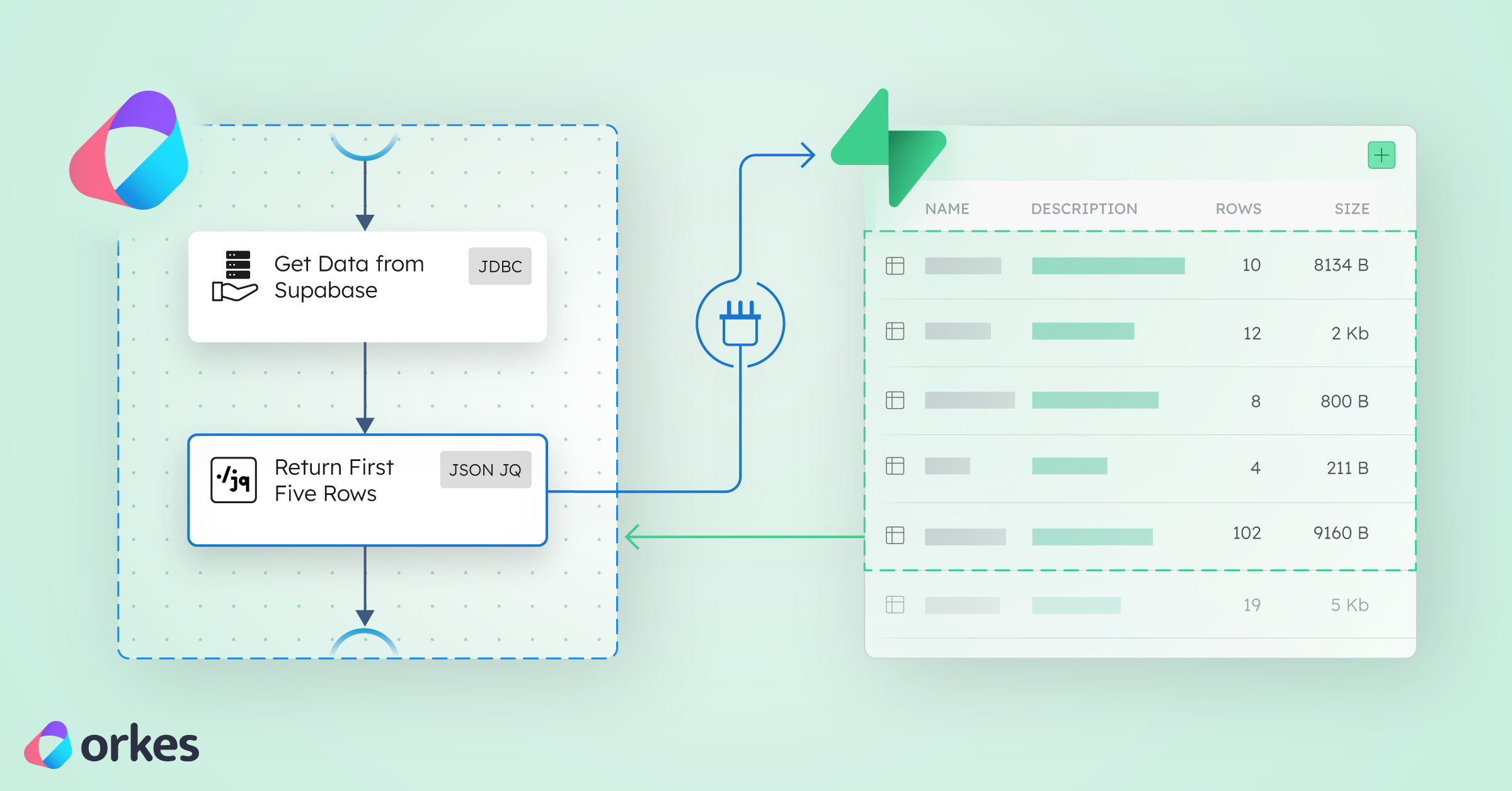
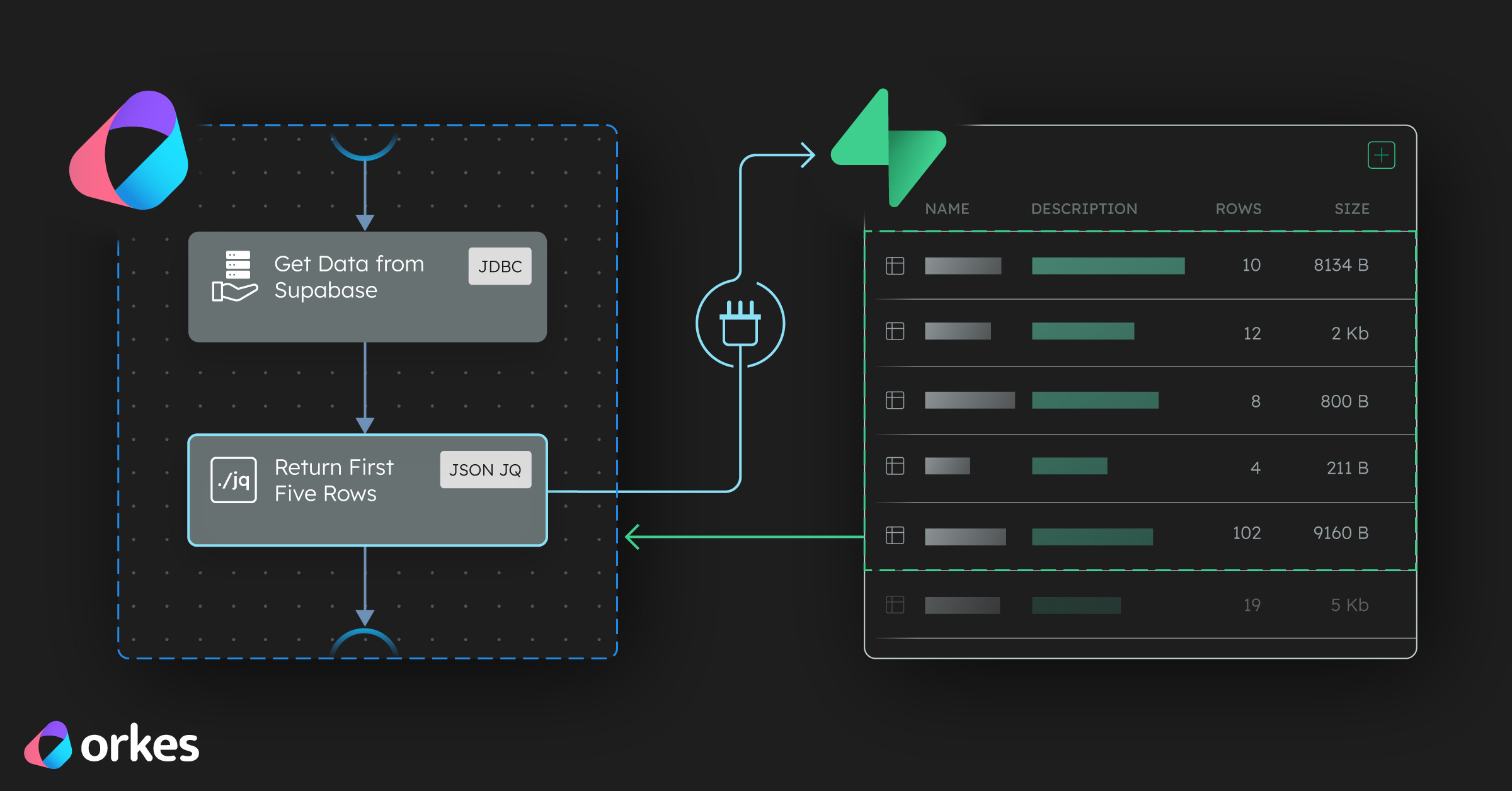
This workflow is intentionally simple with just two tasks:

json
{
  "name": "SupabaseDataTemplate",
  "description": "A simple Orkes Conductor template that connects to a Supabase table and processes the data.",
  "version": 1,
  "tasks": [
    {
      "name": "getAllData",
      "taskReferenceName": "getAllData_ref",
      "type": "JDBC",
      "inputParameters": {
        "integrationName": "${workflow.input.SUPABASE_INTEGRATION}",
        "statement": "SELECT * FROM ${workflow.input.TABLE_NAME}",
        "type": "SELECT"
      }
    },
    {
      "name": "processData",
      "taskReferenceName": "processData_ref",
      "type": "JSON_JQ_TRANSFORM",
      "inputParameters": {
        "queryExpression": "{first_rows: .getAllData_ref.output.result[:5]}"
      }
    }
  ],
  "inputParameters": ["SUPABASE_INTEGRATION", "TABLE_NAME"],
  "schemaVersion": 2
}
  • Task 1 — getAllData: Connects to your Supabase database and fetches all rows from your selected Supabase table.

  • Task 2 — processData: Transforms the output (currently extracts the first 5 rows, but you can customize it).

That’s it. Two tasks. Zero friction.

Add More Power: Extend with More Tasks

Once your data is flowing, build on it by adding tasks like:

  • AI Task: Summarize customer feedback or generate insights from rows.
  • HTTP Task: Send alerts to Slack, Discord, or your favorite webhook.
  • SendGrid Task: Email results to your team.
  • Another JDBC Task: Write transformed data back to Supabase or another database.

You can keep stacking tasks until your workflow feels alive — a data-driven system that reacts, adapts, and automates without you writing endless scripts.

Why this template helps you build faster

If you're new to Orkes: You can skip setup entirely and get a working workflow running in minutes. Then customize it visually.

If you’re experimenting with Supabase: You can visually explore your data, test queries, and see results instantly.

If you're a Supabase power user already: You can connect your existing database to Conductor and start automating tasks, dashboards, and AI pipelines right away.

The Bigger Picture: Turn Supabase Data into Automation

With this ready-to-use template, you can:

  • Automate Supabase workflows instantly.
  • Connect data, logic, and actions in a single platform.
  • Build apps that react to data — not just store it.

Start now with Orkes Developer Edition and see how fast Supabase automation can be.