- AGENTIC
- ENGINEERING
Testing Workflow Routing and Agent Behavior in Conductor
 Alex Devlin Content Engineer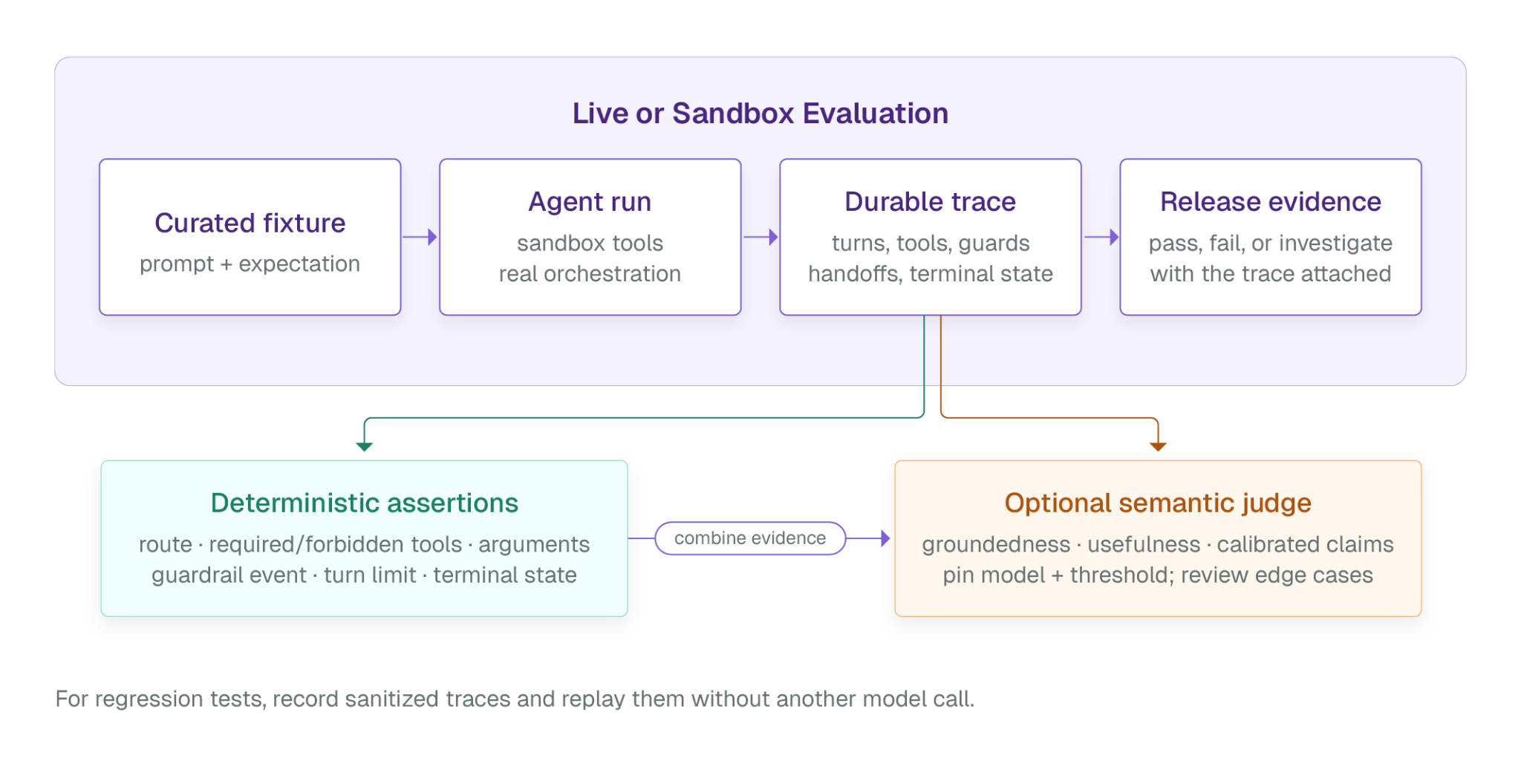
Debugging the output from an LLM can often be an exercise in frustration since there is no guarantee that it will have deterministic results. Investigating unexpected behavior in a workflow of multiple agents is exponentially more difficult since each individual LLM-powered agent has nondeterministic output, leading to both different output and input for each agent on each workflow execution. Fortunately, Orkes Conductor provides useful test harnesses that can simulate deterministic events and greatly simplify the process of debugging agentic workflows.
In this first in a series of articles about testing and evaluating Conductor workflows, I will demonstrate how to Mock events in a simulated agentic runtime. This paradigm allows for very fast unit tests to deterministically validate workflow routing - all without using any LLM tokens or reliance on external dependencies.
Prerequisites
First, install the Conductor Python SDK and the pytest framework in a new directory with a clean virtual environment:
mkdir agentic-eval-demo && cd agentic-eval-demopython -m venv .venvsource .venv/bin/activatepip install conductor-python pytestNext you’ll need a Conductor server. Sign up for the Orkes Developer Edition if you haven’t done so before, create a new access key within an existing Application if desired, and copy your access keys into environment variables for your terminal:
export CONDUCTOR_SERVER_URL=https://developer.orkescloud.com/apiexport CONDUCTOR_AUTH_KEY=<your-key-id>export CONDUCTOR_AUTH_SECRET=<your-key-secret>Finally, make sure you have at least one integration with an AI Model Provider and a specified model in your Conductor Connections and Resources page. I’ll be using the openai/gpt-5-nano model for the examples in this blog, but feel free to choose whatever model and provider you prefer.
Our development environment is now successfully configured. Our next step is to create a basic Conductor workflow that can be put under test.
Defining our Agents and Workflow
Add definitions for 3 agents - one that searches the web for articles about a topic, one that summarizes the content found by the searcher, and one that refines the summary into a finalized article - into a new file called agents.py:
from conductor.ai.agents import Agent, tool
# Replace with your preferred model if desired_AI_MODEL = "openai/gpt-5-nano"
@tooldef search_web(query: str) -> str:    """Searches the web for information."""    return f"Results for: {query}"
search_agent = Agent(    name="search",    model=_AI_MODEL,    instructions=(        "You search across the internet to find relevant information. "        "Limit your search to a maximum of 10 results."    ),    tools=[search_web],    max_turns=3,)
summary_agent = Agent(    name="summary",    model=_AI_MODEL,    instructions=(        "You summarize the output generated by all previous agents. "        "Your writing style uses informal language and is VERY wordy."    ),    max_turns=3,)
editor_agent = Agent(    name="editor",    model=_AI_MODEL,    instructions=(        "You review and refine written content from upstream agents. "        "Your writing style is very formal and informative, emphasizing "        "straightforward explanations of complex subject matter."    ),    max_turns=3,)
# Sequential workflow for our 3 agentscontent_pipeline = search_agent >> summary_agent >> editor_agent
Note that the final line of this file also creates a sequential workflow called “content_pipeline” which runs the 3 agents in the specified order. Next, create a main.py file for the project and paste the following code into it:
#!/usr/bin/env python3from conductor.ai.agents import AgentRuntimefrom conductor.client.configuration.configuration import Configurationfrom conductor.client.configuration.settings.authentication_settings import (    AuthenticationSettings,)import os
from agents import content_pipeline

def main():    """    A sequential 3-agent pipeline used to research and summarize information on a    subject provided by the user.    """    # Ensure that these environment variables are set, or this script won't work!    config = Configuration(        server_api_url=os.environ["CONDUCTOR_SERVER_URL"],        authentication_settings=AuthenticationSettings(            key_id=os.environ["CONDUCTOR_AUTH_KEY"],            key_secret=os.environ["CONDUCTOR_AUTH_SECRET"],        ),    )
    with AgentRuntime(configuration=config) as runtime:        # Deploy and run the agentic workflow        runtime.deploy(content_pipeline)        result = runtime.run(            content_pipeline,            prompt=(                "Search the web for articles about the history of cheesemaking, then "                "write a brief summary of under 500 words explaining the key points."            ),        )        result.print_result()        print(            "Full run in the Orkes Conductor UI: "            f"https://developer.orkescloud.com/agentExecutions/{result.execution_id}"        )

if __name__ == "__main__":    main()
Now run your main.py in your terminal. Once it completes, check the Agent Executions page in the Orkes Developer Edition UI and click on the latest execution of the “search_summary_editor” agent. Alternatively you can click on the “Full run in the Orkes Conductor UI” link from your script output in your CLI. In either case, you should now see a 3-agent pipeline with some sample output generated by your selected LLM:
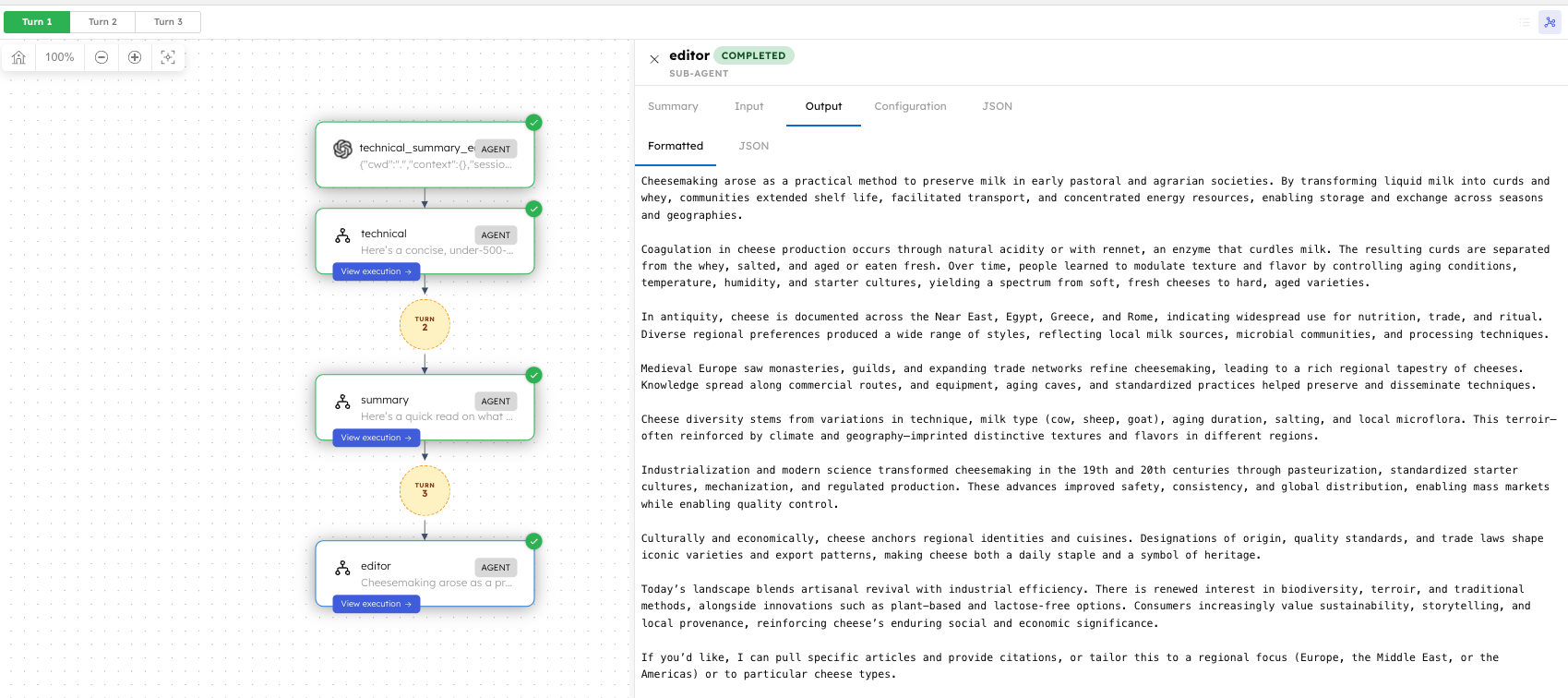
Now that we have deployed and run our business logic, we can proceed to write tests that use mocked events against our real workflow to validate it executes correctly.
Testing the Agent Ordering
In order to use mock events for testing we’ll need to create a mocked runtime that simulates executions of our agent pipeline workflow. We can do this in a new file called test_content_pipeline_order.py - after creating it, paste in the following code:
from agents import content_pipelinefrom conductor.ai.agents.testing import (    MockEvent,    mock_run,)

class TestSequentialPipeline:
    def test_agent_order(self):        """Verifies that the agents run in the specified order."""        result = mock_run(            content_pipeline,            "Search for articles about AI safety, then write a summary about them.",            events=[                MockEvent.handoff("search"),                MockEvent.tool_call("search_web", args={"query": "AI safety"}),                MockEvent.tool_result(                    "search_web", result="AI safety research focuses on..."                ),                MockEvent.handoff("summary"),                MockEvent.handoff("editor"),                MockEvent.done("Summary of AI Safety: Ensuring Beneficial AI\n\n..."),            ],            auto_execute_tools=False,        )
        result.print_result()
There are 4 kinds of events that we mock in this simulated workflow run.
- handoff transfers the mocked execution flow to an agent with the specified name.
- tool_call simulates calling a Tool worker task with the specified name and arguments.
- tool_result, conversely, simulates output from the specified tool. Note that the auto_execute_tools argument in our mock_run must be set to False in order for a mocked tool_result event to trigger correctly.
- done emits the final output from the workflow, regardless of whether any errors occurred during the simulated execution.
Execute this code by running pytest test_content_pipeline_order.py -s to observe this in action. You should see output in your CLI similar to the following once the mocked run completes:
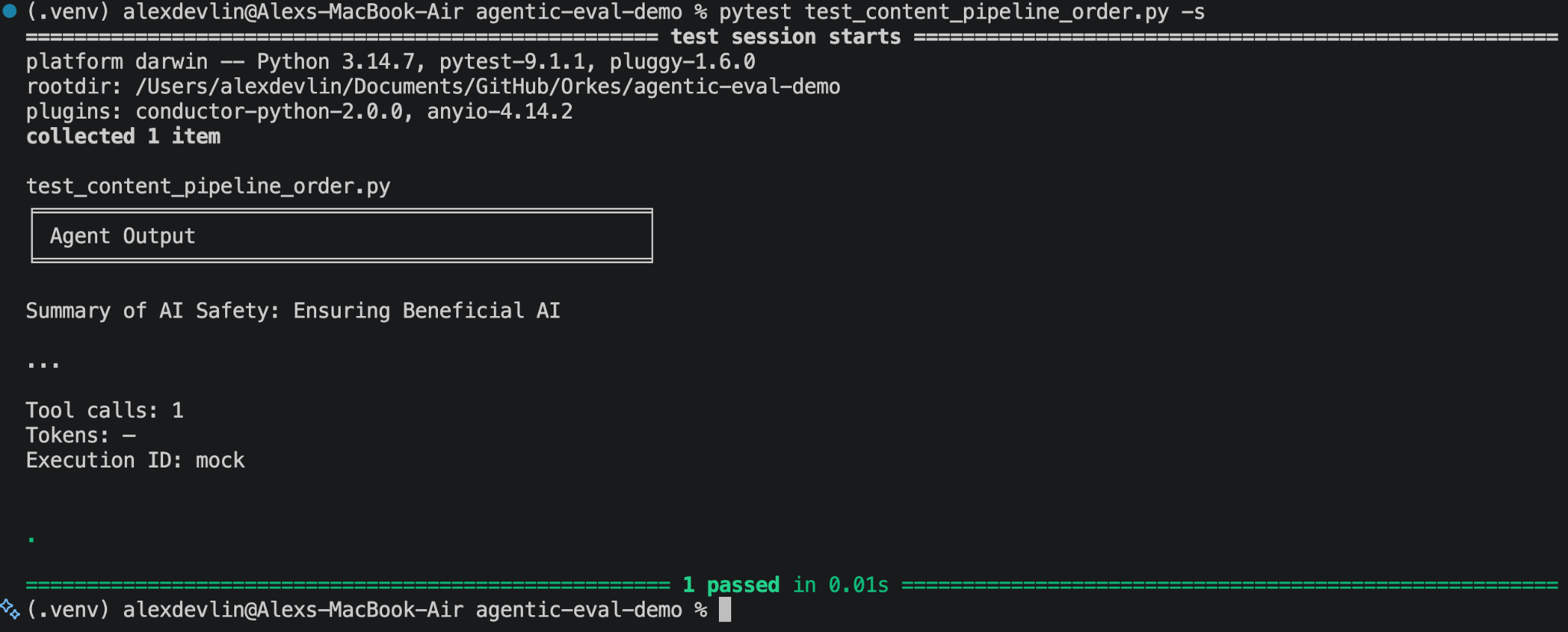
Notice that the string provided to MockEvent.done() was ultimately written to the terminal at the end of this test case. You might also notice that we do not currently have any assertions in this test case, so it’s not actually performing any validation. We’re about to change that however!
First, update our import from the Conductor testing framework to the following:
from conductor.ai.agents.testing import ( MockEvent, mock_run, assert_agent_ran, assert_tool_used, assert_tool_called_with,)Then add the following lines of code to the end of the test_agent_order function:
# Confirm that specified agents ran assert_agent_ran(result, "search") assert_agent_ran(result, "summary") assert_agent_ran(result, "publisher") # this line *will* cause a test failure! # Confirm that specified tools were used assert_tool_used(result, "search_web") assert_tool_called_with(result, "search_web", args={"query": "AI safety"})As per the comments in the above code snippet, these assertions will confirm that all 3 of our agents ran and that the Search agent’s search_web tool was used as part of this workflow run. We’ve also intentionally introduced an error in this test case by checking to see if a nonexistent agent called "publisher" ran instead of our "editor" agent; it’s always good practice to make sure our test cases can fail so we can trust them to catch real issues in the future and prevent bugs!
Now run pytest on test_content_pipeline_order.py again. This should result in a failure message that ends with the following AssertionError:
FAILED test_content_pipeline_order.py::TestSequentialPipeline::test_agent_order -AssertionError: Expected handoff to 'publisher', but none found.Take the time to look over the output from the pytest run and understand the failure message in detail. To resolve this AssertionError, simply change "publisher" in the final assert_agent_ran statement to "editor" and re-run the file through pytest.
Check your understanding
Before proceeding with the article and creating another test case, try changing the input arguments to assert_tool_used and assert_tool_called_with to confirm that they also throw errors. You should also try changing the input arguments to the MockEvents of this test case to see what happens!
Creating an “Unhappy Path” Test
Although we intentionally introduced some errors in the first test case we wrote, it is ultimately designed as a “Happy Path” test case - in other words, when the test executes as expected we do not expect it to throw any exceptions or errors. This is a very useful paradigm when testing to ensure that the workflow logic behind our desired use-cases is working correctly. However, it is also prudent to write tests that target the “Unhappy Path” and intentionally cause exceptions to be thrown when we expect them to, such as if a Tool is used incorrectly or the agents in our workflow are executed in the wrong order.
We’ll be creating a test case for the latter scenario now. Add the following new function to the TestSequentialPipeline class in test_content_pipeline_order.py:
    def test_skipped_agent_throws_error(self):        """Confirms that if an agent is skipped, an error is thrown."""        result = mock_run(            content_pipeline,            "Write about agentic AI",            events=[                MockEvent.handoff("search"),                # Handoff to the "summary" agent is intentionally missing!                MockEvent.handoff("editor"),                MockEvent.done("Incomplete article"),            ],        )
        result.print_result()
        # These two agents DID run        assert_agent_ran(result, "search")        assert_agent_ran(result, "editor")
        # This agent DID NOT run        assert_agent_ran(result, "summary")
Just like in our previous test, we expect assert_agent_ran to throw an AssertionError because execution was not handed off to the "summary" agent and it did not run. We can confirm this by running pytest test_content_pipeline_order.py -s -k "test_skipped_agent_throws_error" to only execute our newest test case:
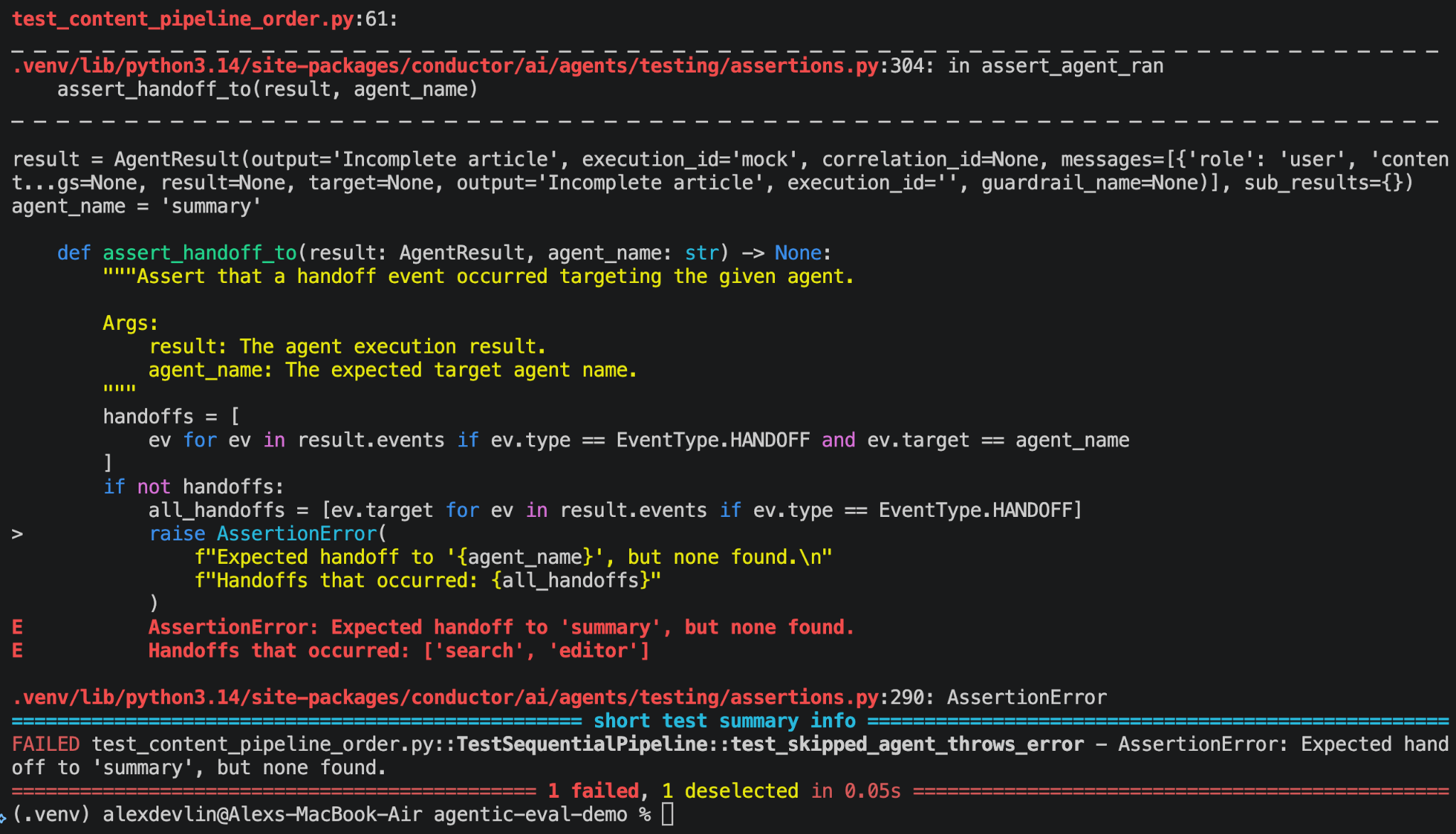
Unlike our previous test case, we want this test to throw an AssertionError so we’ll need to inform our test framework that this error is intentionally included in the test. Fortunately, the pytest API provides a function called “raises” which does exactly what we need.
Import the framework into test_content_pipeline_order.py so we can use its provided API:
import pytestNext, replace the final 2 lines of the file with the following code that lets pytest know we are intentionally throwing an AssertionError in the test_skipped_agent_throws_error test case:
# This agent DID NOT run with pytest.raises(AssertionError, match="summary"): assert_agent_ran(result, "summary")Running our test case again will now cause it to pass successfully. However, we can make this test case even more robust by validating that our workflow violates the Sequential workflow strategy rules when the “summary” agent is skipped in our mock run.
Import the validate_strategy function from conductor.ai.agents.testing then add the following to the end of our test_skipped_agent_throws_error function:
# Verify that the "summary" agent was skipped and caused a Strategy error validate_strategy(content_pipeline, result)Running our test in pytest again will fail and return a new error message:
FAILEDtest_content_pipeline_order.py::TestSequentialPipeline::test_skipped_agent_throws_error - conductor.ai.agents.testing.strategy_validators.StrategyViolation:Strategy 'sequential' violations:When we defined our content_pipeline workflow in agents.py it was created with an implicit SEQUENTIAL strategy, where each agent task in our workflow must execute one-at-a-time in the provided order. Thus, this error message is thrown when we attempt to confirm that our workflow’s strategy was executed correctly because the “summary” agent was intentionally skipped in our workflow run.
Fortunately, we can again use the pytest.raises() function to our advantage! Add StrategyViolation to our list of imports from conductor.ai.agents.testing then wrap our validate_strategy() function call as follows:
# Verify that the "summary" agent was skipped and caused a Strategy error with pytest.raises(StrategyViolation, match="skipped"): validate_strategy(content_pipeline, result)Now you can run this test case through pytest again and it will pass successfully.
A Caveat on Mocks
Mocks are a useful utility when testing software systems but they have limitations. All of the examples in this blog use a simulated runtime environment and events, which means our test cases are completely disconnected from our business logic; any change to the real code of the content_pipeline workflow or its underlying agents will require manual updates to the mocked events in each test case to prevent code drift from the test suite. Additionally, mocks will not expose real runtime issues if we have misrepresented how our code - or its dependencies - are actually used in a live Conductor run.
In future articles of this series we’ll explore how to use live LLM runs to test real executions of agent prompts for more detailed integration tests. Until then, happy testing and coding!
Further Reading
- The full documentation for Agent Evals in Python.
- Validate and test workflows for workflow-specific mock testing.
- Testing AI Prompts with Orkes Prompt Studio blog post.
- Join the Conductor community!