Orchestrating Long-Running APIs
This tutorial demonstrates how to handle long-running APIs using Orkes Conductor. You’ll learn how to prevent HTTP timeouts when APIs take several minutes to complete, using Conductor’s built-in capabilities: the HTTP Poll task and async complete.
By the end, you'll have a fully functional workflow that orchestrates long-running APIs effectively.
Understanding the challenge
When an API takes longer than 60 seconds to respond, a standard HTTP request can timeout and fail.
Conductor provides two easy ways to handle such cases:
- Method 1: Using the HTTP Poll task – Triggers the API and periodically polls its status until the job completes.
- Method 2: Using async complete – Triggers the API and marks the HTTP task complete later through a callback.
Both approaches let you handle long-running APIs natively within Conductor.
Before you begin, ensure that you have the following:
- Access to an Orkes Conductor cluster. Use the free Developer Edition to get started.
- An API that either:
- Exposes a status endpoint that can be polled for progress, or
- Sends a callback when processing is complete.
Method 1: Handle long-running APIs using an HTTP Poll task
In this method, the workflow uses two tasks to manage a long-running API.
- The HTTP task that sends a request to start the job on an external system.
- The HTTP Poll task then periodically calls the API’s status endpoint to check the job’s progress. Polling continues until the response meets the defined termination condition (for example, status = COMPLETED), at which point the workflow completes.
To create a workflow:
- Go to Definitions > Workflow from the left navigation menu on your Conductor cluster.
- Select + Define workflow.
- In the Code tab, paste the following code:
{
  "name": "LongRunningAPIWorkflow",
  "description": "Starts a long-running job and polls its status until completion using Orkes API Tester service",
  "version": 1,
  "schemaVersion": 2,
  "tasks": [
    {
      "name": "startRemoteJob",
      "taskReferenceName": "startRemoteJob",
      "type": "HTTP",
      "inputParameters": {
        "http_request": {
          "uri": "https://orkes-api-tester.orkesconductor.com/api",
          "method": "POST",
          "contentType": "application/json",
          "accept": "application/json",
          "body": {
            "message": "Start long-running process"
          }
        }
      }
    },
    {
      "name": "pollJobStatus",
      "taskReferenceName": "pollJobStatus",
      "type": "HTTP_POLL",
      "inputParameters": {
        "http_request": {
          "uri": "https://orkes-api-tester.orkesconductor.com/api",
          "method": "GET",
          "accept": "application/json",
          "contentType": "application/json",
          "pollingInterval": "5",
          "pollingStrategy": "FIXED",
          "terminationCondition": "(function(){ return $.output.response.statusCode == 200; })();"
        }
      }
    }
  ]
}
- Select Save > Confirm.
Your workflow looks like this:
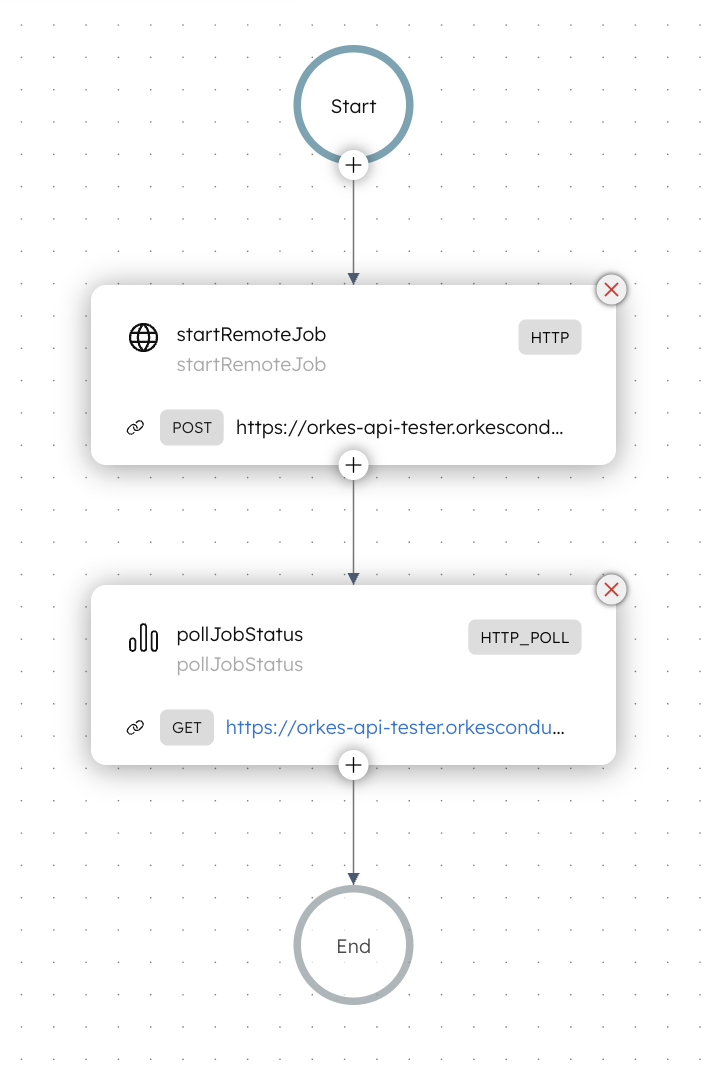
In this workflow, the HTTP task triggers the API that starts a job. The HTTP Poll task queries the status endpoint every 5 seconds until the termination condition is met. The workflow completes once that condition evaluates to true.
Let’s run the workflow using Conductor UI. Open your workflow definition, and select Execute.
The workflow begins, and the polling task continues to call the API at regular intervals until the response meets the termination condition (for example, when the status is set to COMPLETED). Once the condition is met, the workflow is completed successfully.
Replace orkes-api-tester.orkesconductor.com with your own API endpoint before using this workflow in practice.
Method 2: Handle long-running APIs using async complete
When asyncComplete is set to true, Conductor expects the HTTP endpoint to perform the work asynchronously and return an immediate acknowledgment (HTTP 200 or 202) instead of waiting for the operation to finish. The task then stays IN_PROGRESS until the external service marks it as COMPLETED. This ensures that Conductor can manage asynchronous operations without blocking or hitting HTTP timeouts.
To create a workflow:
- Go to Definitions > Workflow from the left navigation menu on your Conductor cluster.
- Select + Define workflow.
- In the Code tab, paste the following code:
{
  "name": "AsyncRemoteJobWorkflow",
  "description": "Demonstrates asyncComplete using Orkes API Tester service",
  "version": 1,
  "schemaVersion": 2,
  "inputParameters": ["payload"],
  "tasks": [
    {
      "name": "invokeLongRunningAPI",
      "taskReferenceName": "invokeLongRunningAPI",
      "type": "HTTP",
      "asyncComplete": true,
      "inputParameters": {
        "http_request": {
          "uri": "https://orkes-api-tester.orkesconductor.com/api",
          "method": "POST",
          "contentType": "application/json",
          "accept": "application/json",
          "body": {
            "message": "Trigger async long-running process",
            "payload": "${workflow.input.payload}",
            "correlationId": "${workflow.workflowId}",
            "taskRefName": "invokeLongRunningAPI"
          }
        }
      }
    }
  ]
}
- Select Save > Confirm.
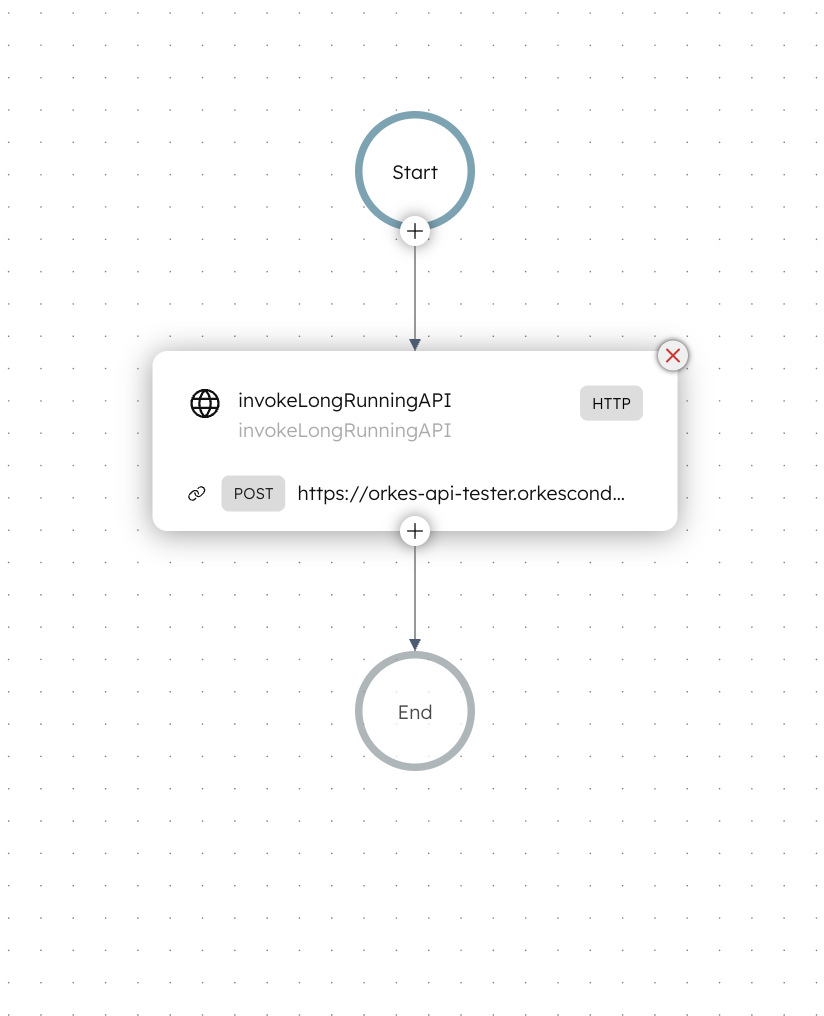
Your workflow looks like this:
Let’s run the workflow using Conductor UI.
To run the workflow:
- Open your workflow definition, and go to the Run tab.
- In Input Params, enter the parameters. For example:
{
  "payload": { "jobType": "data-import" }
}
- Select Execute.
The workflow starts and moves to the RUNNING state. The HTTP task sends the request and remains IN_PROGRESS, waiting for an external callback.
For demonstration purposes, let’s mark this task as complete using the Update Task Status API.
POST /api/tasks/{workflowId}/{taskRefName}/{status}
You can get the workflowId and taskRefName from the workflow execution view in the Conductor UI.

Next, send a POST request with the status set to COMPLETED. After the callback, the task status changes to COMPLETED, and the workflow ends.
Example Request
curl -X 'POST' \
  'https://<YOUR-SERVER-URL>/api/tasks/3e1fdfe3-b891-11f0-a6d8-bab93c002033/invokeLongRunningAPI/COMPLETED' \
  -H 'accept: text/plain' \
  -H 'X-Authorization: <TOKEN>' \
  -H 'Content-Type: application/json' \
  -d '{
}'
The API call returns the task execution ID as the response. This indicates that the workflow has been completed successfully.
You can adapt this workflow to use any callback method to mark completion, depending on your requirements.
Summary
Use the HTTP Poll task method when the API exposes a status endpoint that you can query until the job completes. Use asyncComplete when the API call is asynchronous and notifies completion through a callback.
Both approaches handle long-running HTTP calls natively in Orkes Conductor, ensuring reliable orchestration and preventing timeout issues.